Read Time
min
Problem / Issue
Aug 27, 2025
Framer Code Boundaries: React Error Handling
Framer is a React-based website creation tool that improves user experience by implementing a 'code boundary' feature that hides only the components where errors occur, while keeping the rest of the site functioning normally.


Contents
Table of Contents
The Dilemma of Framer and Custom Code
Framer is essentially a no-code website building tool. However, every site is essentially an app built with React, and users can add custom React components or overrides at any time.
This is where the problem arises. What if a component in a React app causes an error? The entire structure of the app breaks down, leaving only a blank white page on the screen.
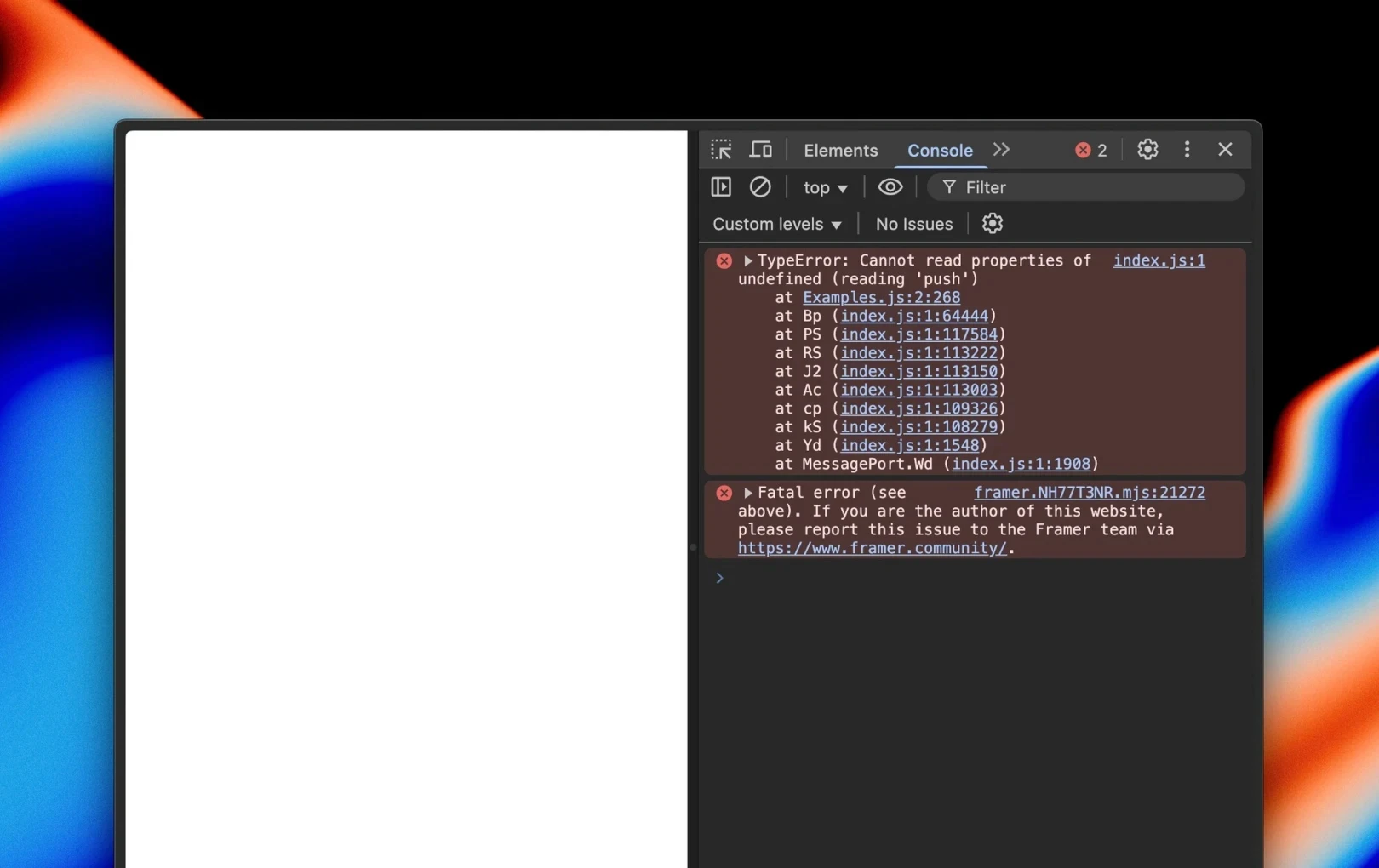
This used to be how Framer sites worked. If even one piece of custom code went wrong, the entire site would stop. To fix this, we began a new approach this winter. The goal was to ensure that even if custom code fails, only the affected component is hidden, and the rest of the site functions normally.
Now, let's dive into how to handle React errors.
Level 1: Error Boundaries
On the surface, error boundaries in React exist precisely for cases like this. Wrap around each custom code component as an error boundary → catch the error → render null (empty value) → finish. This is the role of error boundaries—wrapping and hiding the part where the error occurred.
By wrapping each custom code component this way, it seems that rendering only null will keep the rest of the code safe when an error occurs. However, there's also an issue here.
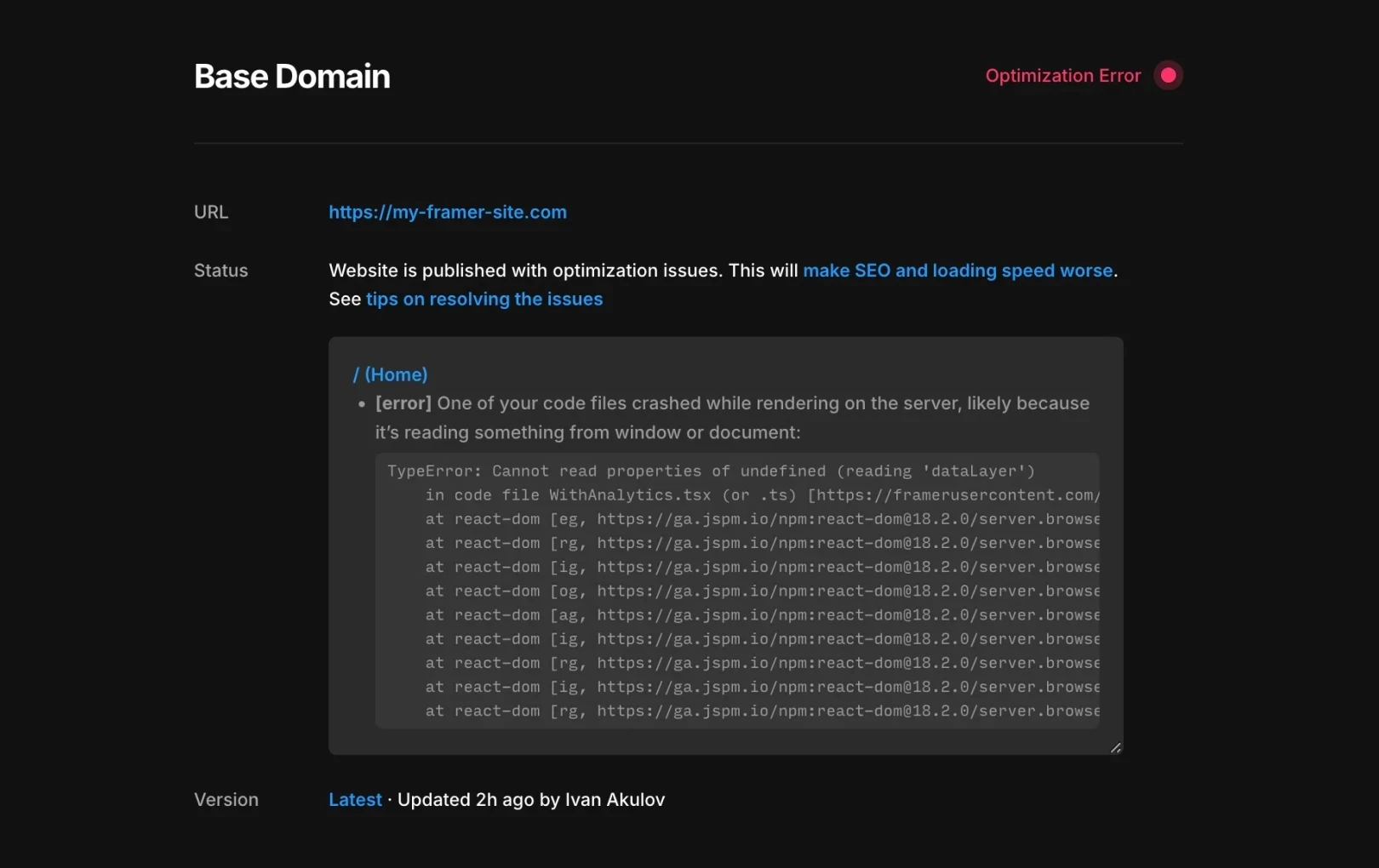
React error boundaries only work on the client. They are completely ignored during server-side rendering. Therefore, if rendering fails on the server, the page itself cannot be optimized and its performance will suffer.
Level 2: Suspense
In server rendering, React ignores error boundaries. Instead, if a server-side error occurs, React looks for the nearest <Suspense> boundary and renders the code to replace it.
Therefore, to hide components with errors, you need both a client-side and server-side error boundary.
However, wrapping every piece of code with <Suspense> presents some challenges, as it performs several other tasks besides catching errors on the server.
Level 3: The Many Behaviors of Suspense
<Suspense> does more than simply catch errors; it performs multiple actions simultaneously. As of 2025, it roughly offers the functions below.
<Suspense>Server:Renders replacement code when something suspends (skippable with
stream.allReady)Renders replacement code when an error occurs
<Suspense>Client:Renders replacement code when something suspends (skippable with
startTransition())Supports optional, concurrent hydration
What happens when the user's code suspends during rendering?
On the server, you can await the suspension using stream.allReady. However, the situation is different on the client. When a component suspends, <ServerErrorBoundary> inside <Suspense> temporally renders null set as replacement code. This causes a flash where the component in question disappears and then reappears on the screen.
Of course, if the code wrapping the component executes within startTransition, this phenomenon can be avoided, but we can't control user code. As a result, users experience a subpar UX with components briefly disappearing and reappearing while fetching data.
How can we solve this problem?
We could try not rendering <ServerErrorBoundary> on the client at all. But this will lead to hydration mismatches.
The reason is that <ServerErrorBoundary> internally renders <Suspense>. <Suspense> doesn’t create actual DOM elements but outputs special comments (such as <!--$-->, etc.). The client must accurately find and confirm that ‘they’re the same’ during the hydration process. If <ServerErrorBoundary> is removed on the client, these comments disappear. React then sees a discrepancy between the server and client, resulting in an error.
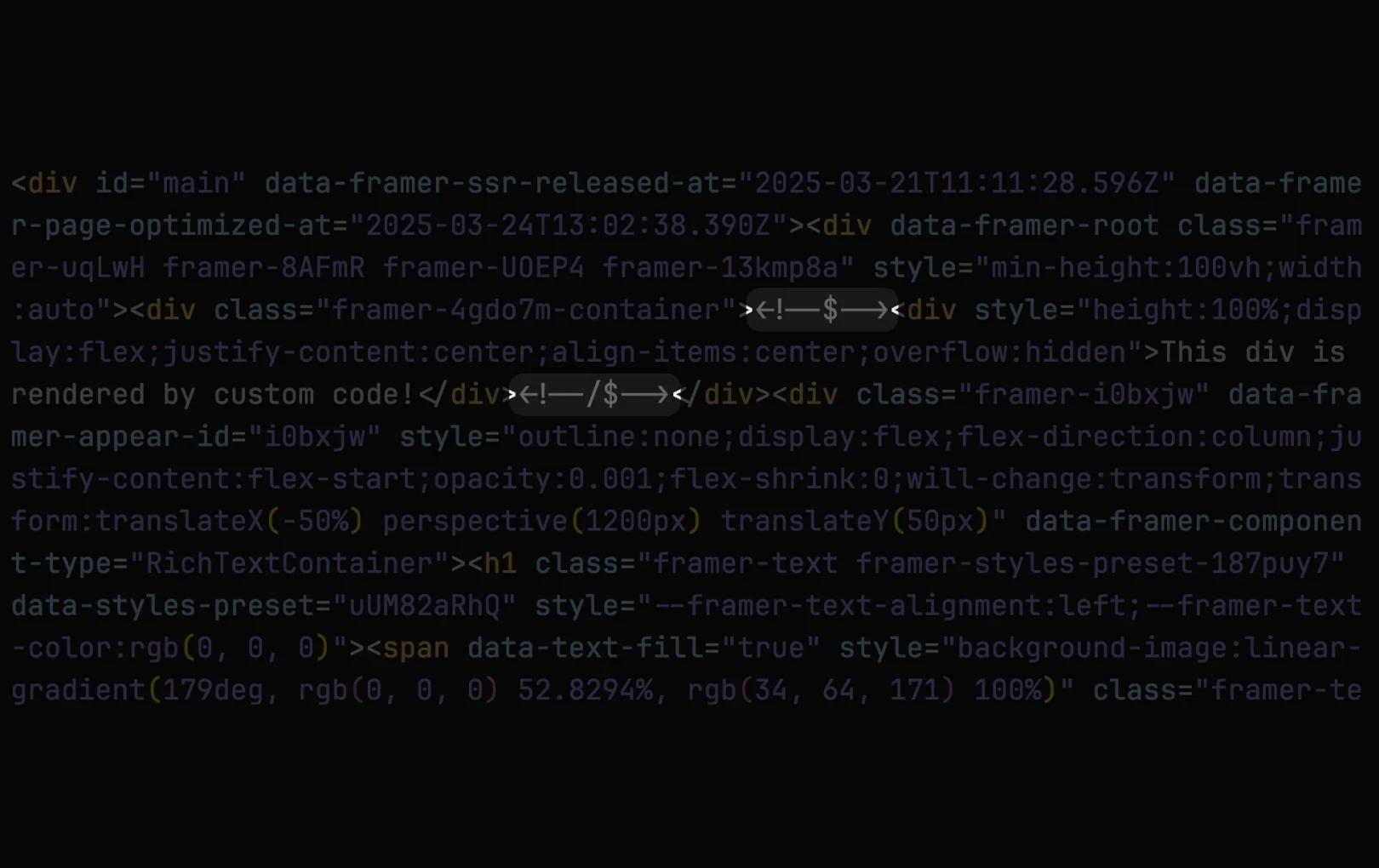
Then, what about just clearing the special comments of <Suspense> before hydration starts? This doesn’t work either. Since user code can render null due to errors on the server, but function correctly (rendering the correct JSX) on the client, the outcomes between server and client will differ. This discrepancy results in a hydration mismatch, causing the entire root to remount.
Then, what about intentionally suspending within the fallback of <Suspense>? This approach can work, and the rule is: “If a <Suspense> renders a fallback, and that fallback itself suspends again, React ignores the Suspense boundary.”
In other words, if the fallback suspends itself, that Suspense is treated as if it doesn’t exist.
The document states that it only activates at the parent <Suspense>boundary, but it can behave as if there's no boundary even when the parent boundary does not exist. This allows the desired behavior without flickers.
Depending on undocumented behavior is risky, but in the short term, it can be a fairly stable solution, right?
Level 4: External Components
Let's make it a bit more complex. In Framer, not only can you write your own code, but you can also reuse code written by others. Additionally, this code can be nested within nocode UIs created by others.
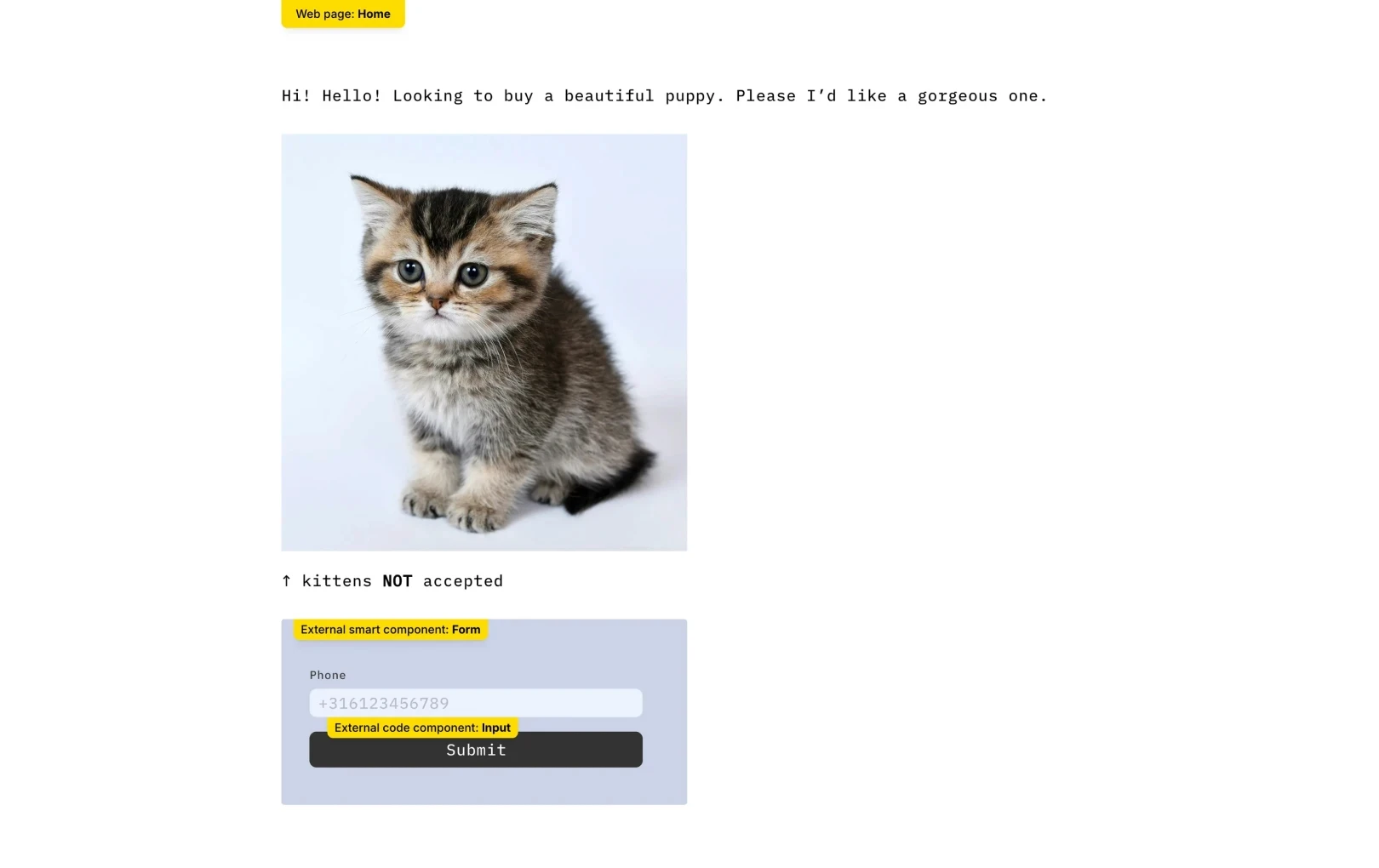
This can make implementation more complicated. For instance, if there’s a Form component within a user-defined piece of code like the one above and an Input within that Form experiences an error, what should be done? Should we hide only the problematic Input that’s colliding with the boundary?

According to Framer’s philosophy, Form appears as a single ‘opaque unit’ to the site creator. They can’t inspect inside as it’s not their component. Thus, even if a boundary collision occurs, instead of only a part of the interior breaking, Form should break entirely as a whole. This way, creators can intuitively understand collision situations.
Level 5…N: The Final Challenge
Let me introduce the last challenge we needed to solve.
Since Framer supports not only code components but also code overrides, the
Code Boundarieshad to take this scenario into account as well.Many code errors are inherently complex, especially when the code is minified. Therefore, we had to create new tools to easily find which component caused an error.
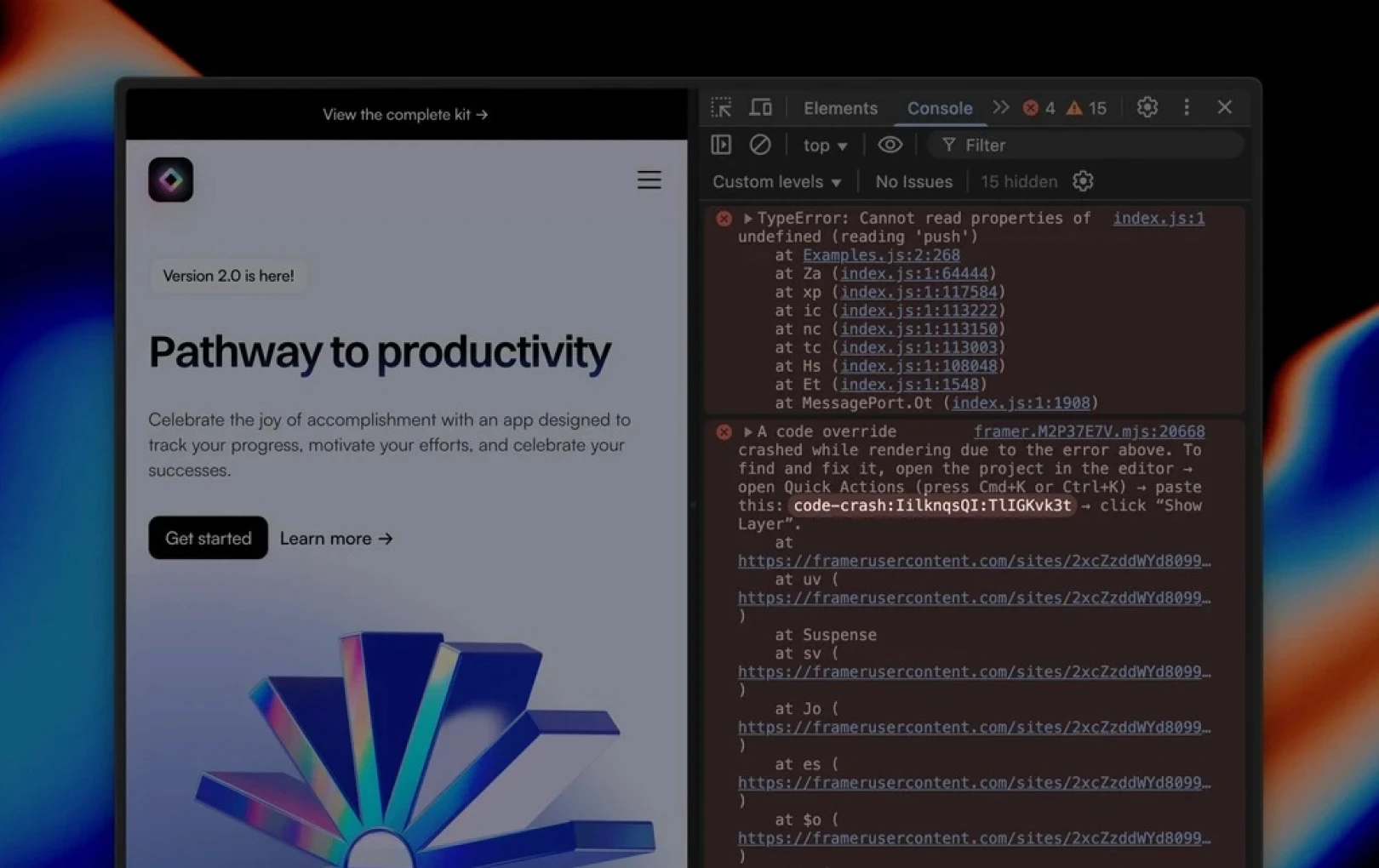
Though it started with merely solving React error boundaries, it involved overcoming numerous challenges such as server-client environment differences, the complex behavior of Suspense, and reusing external code. After doing so, we could finally update Code Boundaries.
This post has been translated and adapted from the Framer official blog, ‘Rabbit hole of React error handling’.
More posts
Read More Blog

Problem / Issue
Dec 26, 2025
Increase your workflow speed in Framer using keyboard shortcuts

Problem / Issue
Dec 26, 2025
Understanding Framer's Reduced Motion Settings

Problem / Issue
Dec 26, 2025
Utilize text styles and semantic tags on your website

Problem / Issue
Dec 26, 2025