Read Time
min
Design
Get Started
Aug 22, 2025
Creating Scroll and Hover Effects in Framer
Learn how to easily implement interactions in Framer where text and background colors change based on scroll position, and cards feature subtle 3D hover effects.



Contents
Table of Contents
Scroll and hover effects can enrich the design and make the site more engaging. Framer is optimized for implementing these effects. In this tutorial, we will look at how to dynamically change text and background color using scroll effects and how to add fun 3D hover effects to cards.
Creating Hero/Background Variant
The starting point for scroll effects is preparing Variants of hero content and the background. If there are three sections in the image section, it is clean to create three corresponding variants.
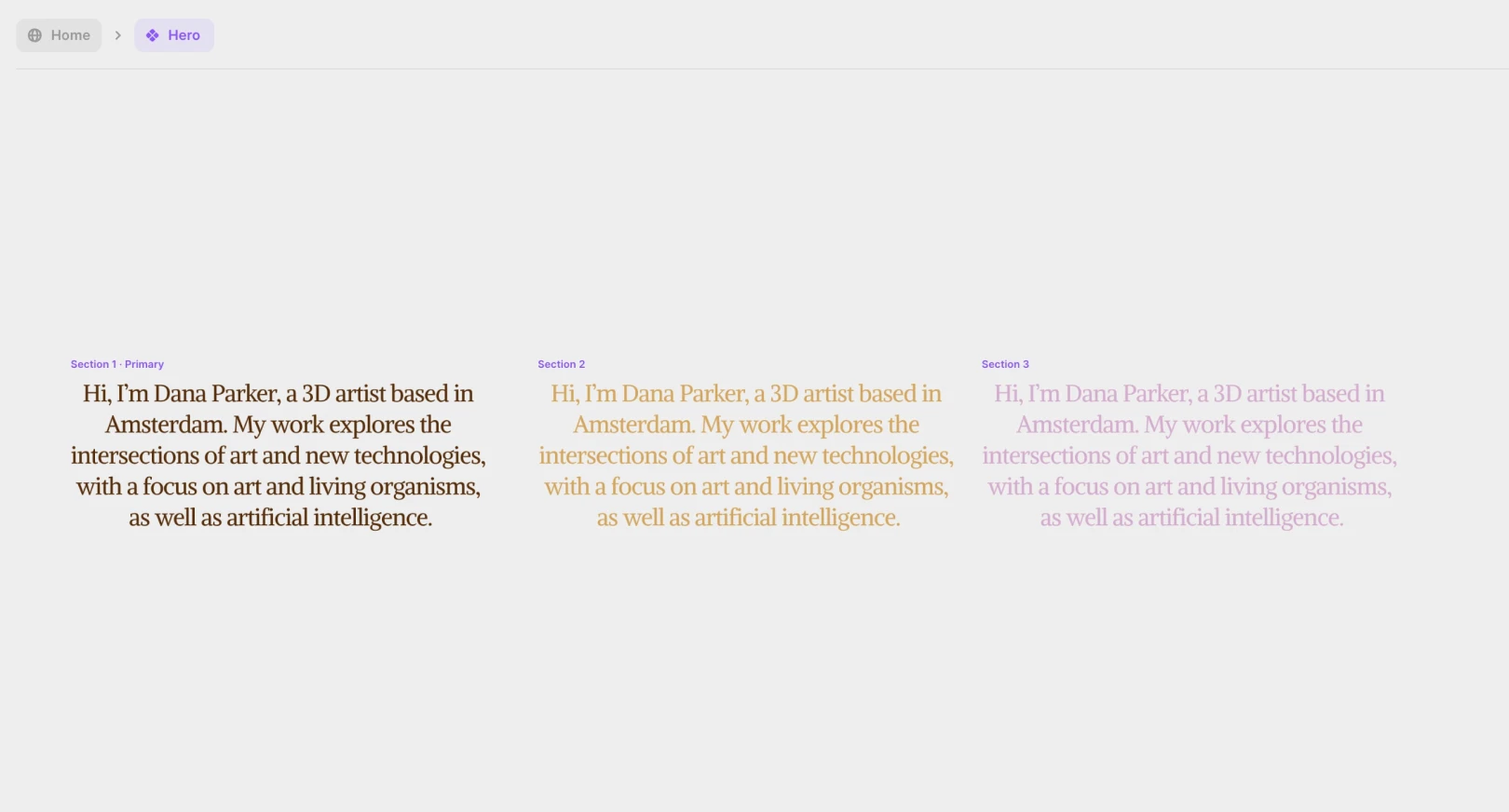
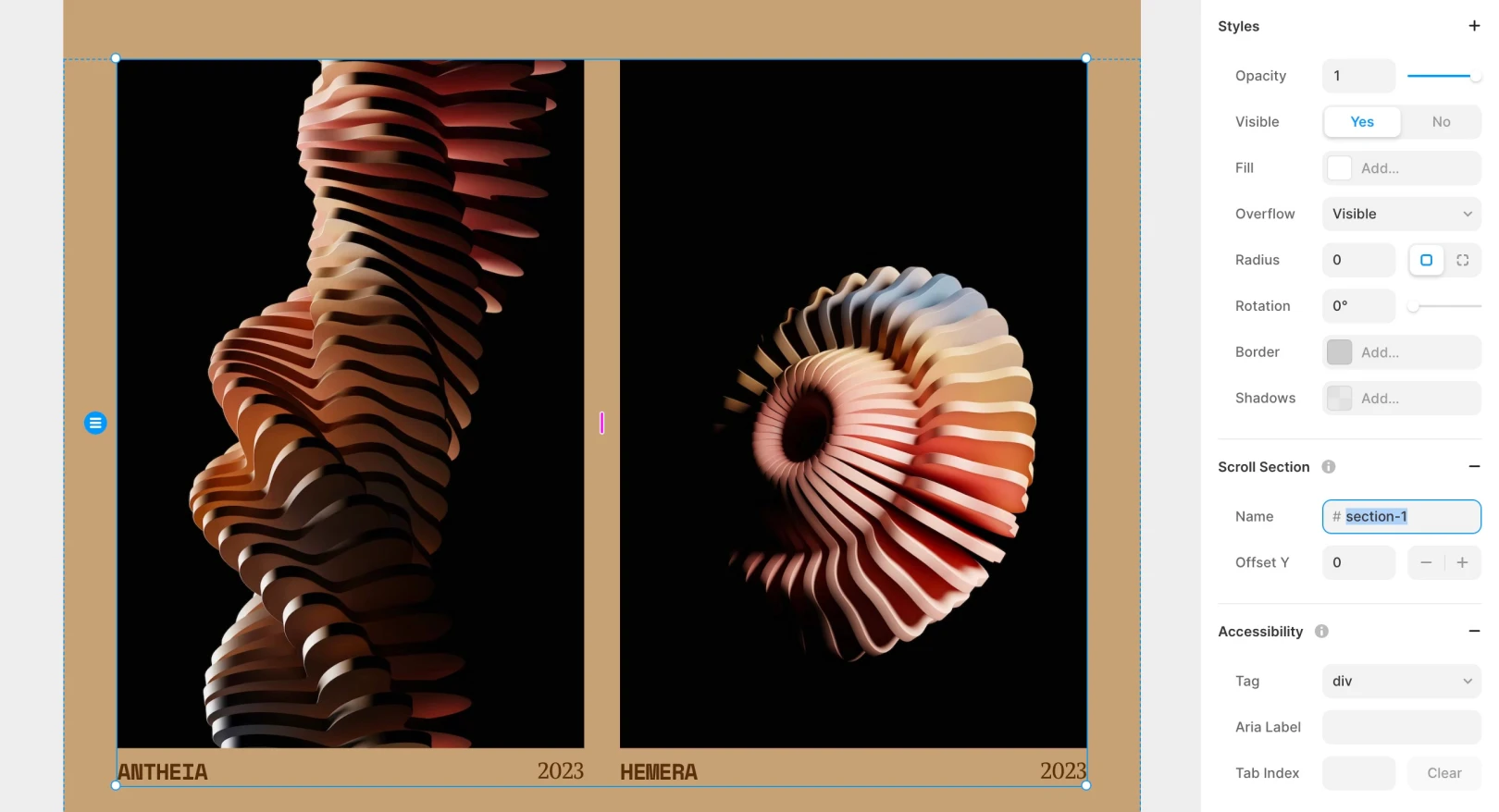
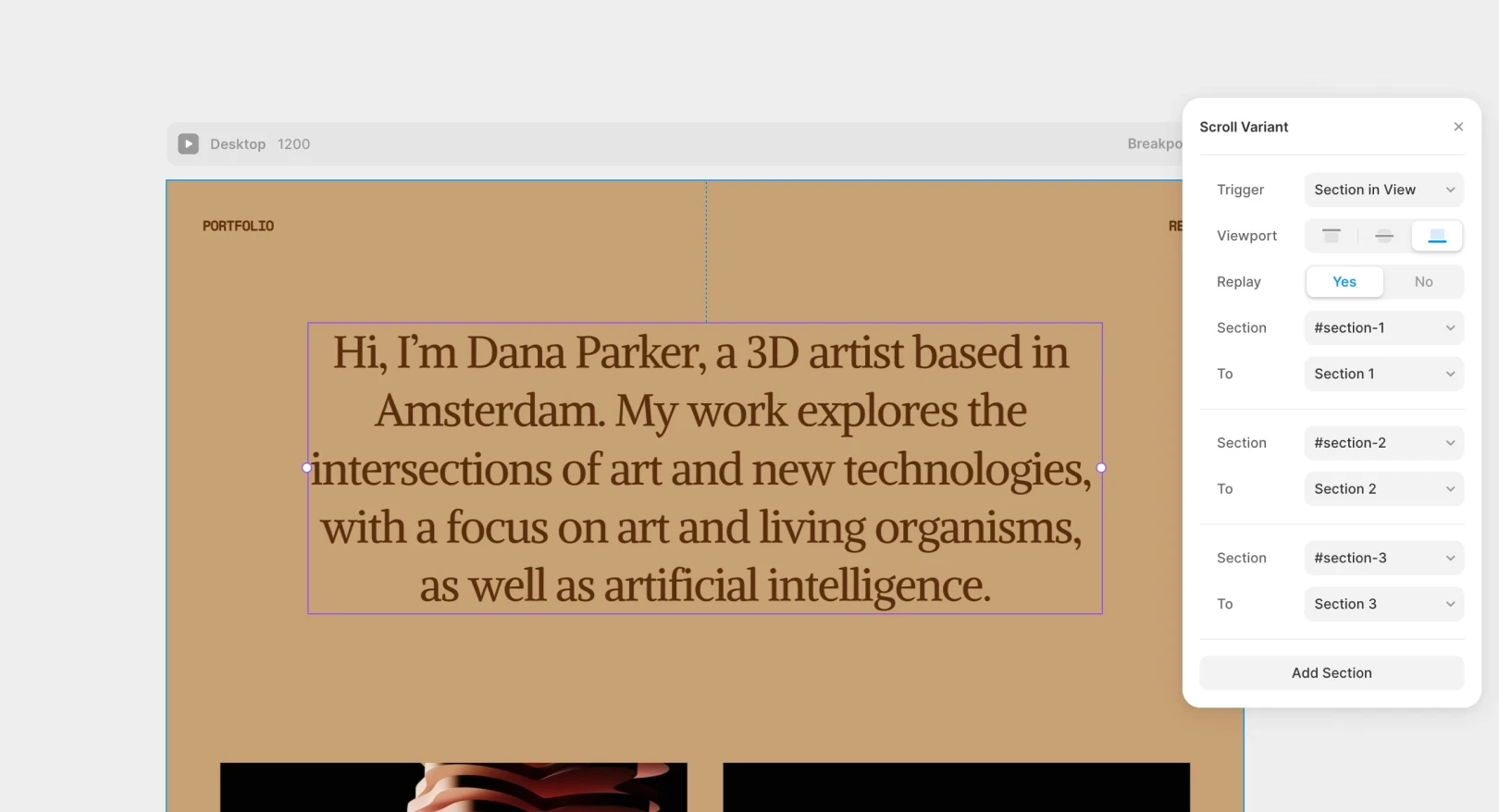
Assign a unique Scroll Section name to each image section frame. Then, by using Scroll Variant in the hero and background components, it automatically switches to the respective Variant based on the section name visible in the current viewport.
Adding Subtle 3D Hover Effects
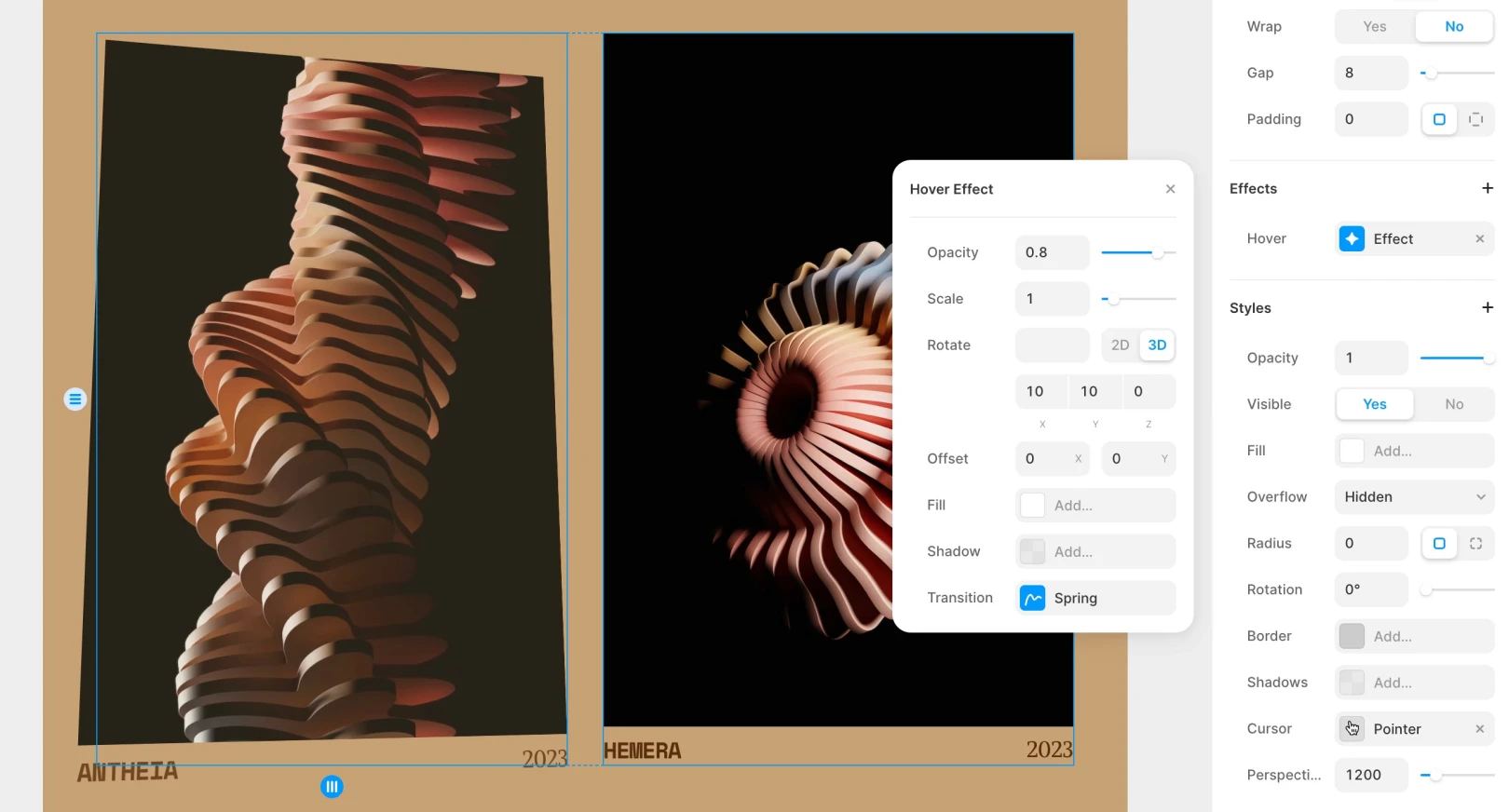
While scroll transitions alone can bring enough vitality, adding 3D hover to the card can make subtle interactions feel more convincing. Select the Hover effect from the properties panel, then slightly adjust details like angle or scale. If the interaction is too big, the effect can overshadow the information itself, so fine-tune it to move subtly so the main content remains central while enjoying minor interactions. Adjust the values slightly until you achieve the desired feel.
Conclusion
Using scroll and hover effects in your design can add a new dimension of interactivity and visual interest. With Framer, you can easily create these effects and try various styles until you achieve the desired results. Explore the possibilities of scroll and hover effects to elevate your design skills by a notch and create captivating, eye-catching designs.
This article is a translated and adapted version of Framer's official blog’s ‘Exploring scroll and hover effects in Framer.’
More posts
Read More Blog

Design
Get Started
Dec 26, 2025
Increase your workflow speed in Framer using keyboard shortcuts

Design
Get Started
Dec 26, 2025
Understanding Framer's Reduced Motion Settings

Design
Get Started
Dec 26, 2025
Utilize text styles and semantic tags on your website

Design
Get Started
Dec 26, 2025