Read Time
min
SEO
Insights
Sep 29, 2025
Setting Up Data Structures with JSON-LD in Framer
Describes how to integrate structured data in JSON-LD format into a webpage for Framer users, providing specific technical approaches and validation methods to enhance SEO and improve search engine optimization.



Contents
Table of Contents
What is structured data?
Structured data is a standardized data format that can enhance SEO by helping search engines better understand the content of a webpage.
For example, on a recipe page, it allows you to clearly define information like ingredients, cooking time, and calories using structured data. Google Search Central also emphasizes the importance of structured data for improving content understanding and classification.
Integrating structured data into your web page
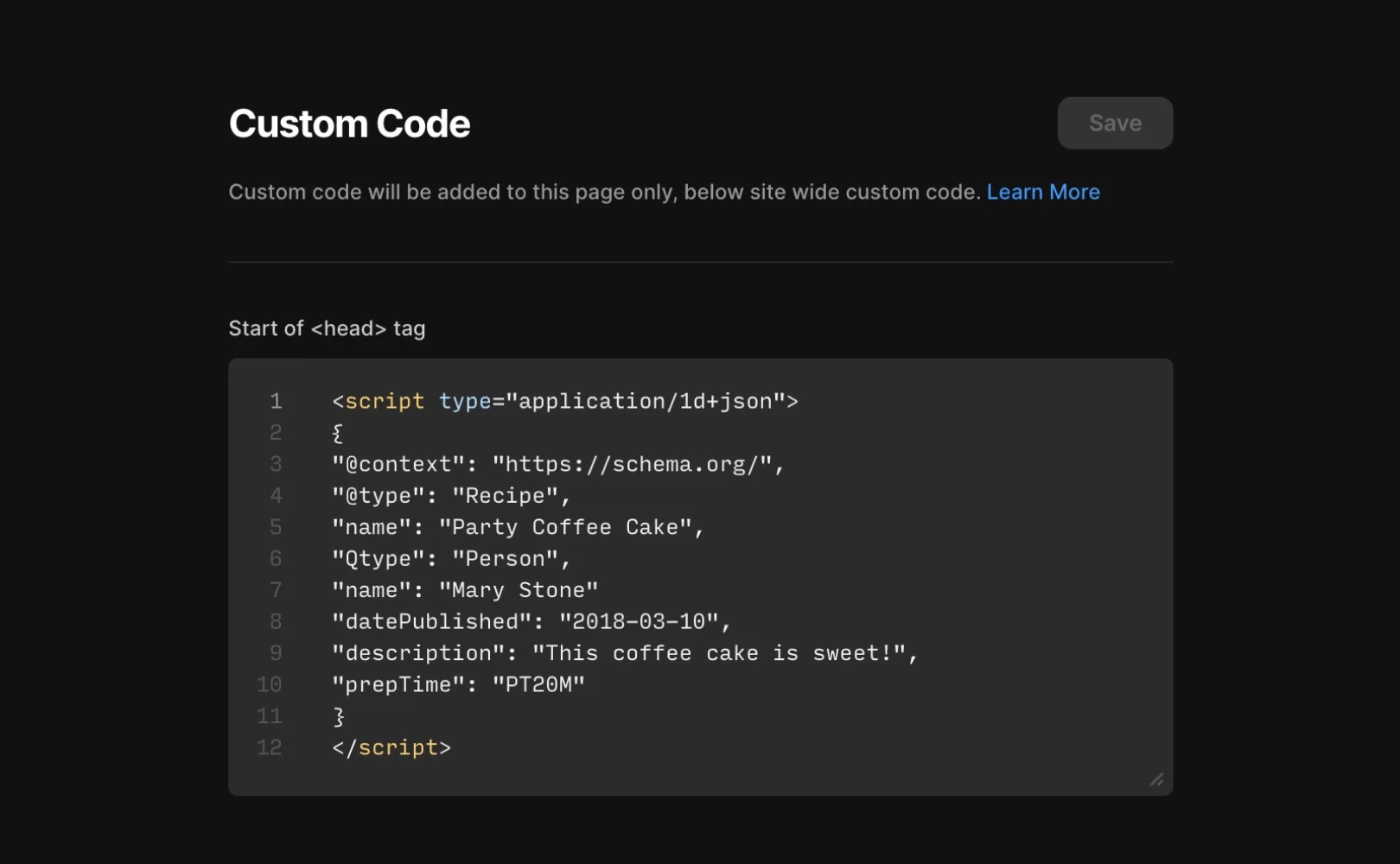
Before adding structured data, you need to identify the most suitable data format for your website. You can gather the necessary information from resources like Understanding How Structured Data Works or the Search Gallery. On the Framer site, you can use the Custom Code function to insert structured data like JSON-LD. Here's an example of structured data for a recipe page.
Applying to CMS detailed pages
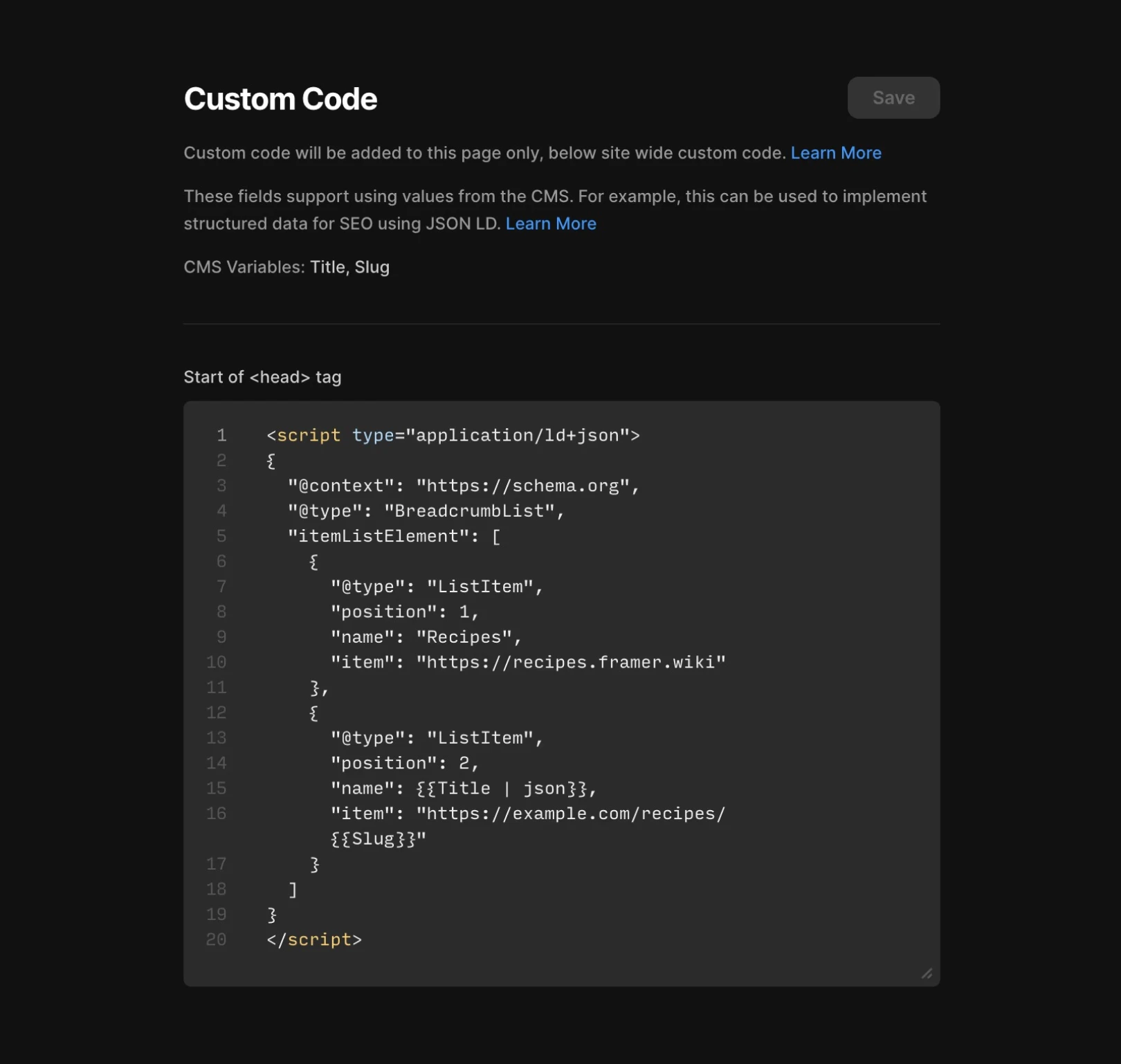
By using CMS variables within the {{}} syntax, you can generate unique structured data for each page. For instance, fetch the CMS "Title" field as {{Title}} and incorporate Breadcrumbs markup to structure it into the {{Title | json}} JSON format.
Writing Schema with text fields on CMS pages
To keep the Schema up to date, the above method is recommended. However, if you want more flexibility, you can write the Schema markup as JSON in the Text field of the CMS. Add it to the tag using the following <head> syntax.
The {{variable_name | unsafeRaw}} syntax outputs all stored content in the CMS as-is. Therefore, this is useful when storing the entire JSON+LD markup in a CMS.
Note: unsafeRaw outputs content exactly as entered. Therefore, if there is incorrect HTML in the input fields, the website could break or face security issues, so please use it with caution.
Validating structured data
Once you've added structured data, you should use the Google Rich Results Test to verify it's working correctly. Directly testing data like Breadcrumbs can help you easily identify any issues.
If the problem persists, you can seek additional help through the Contact Page.
This article is translated and adapted content from the Framer official blog, ‘Structured data through JSON-LD’.
More posts



