Read Time
min
Insights
Dec 3, 2025
Add Mailchimp subscription form to site
Easily integrate Mailchimp with your site to collect emails, send newsletters, and create various marketing opportunities. With Framer's intuitive components, you can quickly set it up without complex coding.



Contents
Table of Contents
Why you need to connect Mailchimp with your site
Mailchimp integration is highly useful when you want to collect site visitors' emails to send newsletters or offer discount codes and content. Framer provides a dedicated component, allowing for quick integration without handling complex code.
How to integrate Mailchimp
1. Get the Form URL from Mailchimp
Log in to your Mailchimp account and navigate to the Embedded Form Code section. Within the <form action=""> tag lies the URL for processing Mailchimp subscriptions. Please copy this URL.
Example URL: https://framer.us18.list-manage.com/subscribe/post u=01218bcf94e5b95825414d926&id=7899444161&f_id=004555e7f0
2. Add the Mailchimp component in Framer
Open your Framer project and go to the
Insertpanel on the left.Find the Mailchimp component in the
Formssection and drag it onto your page.
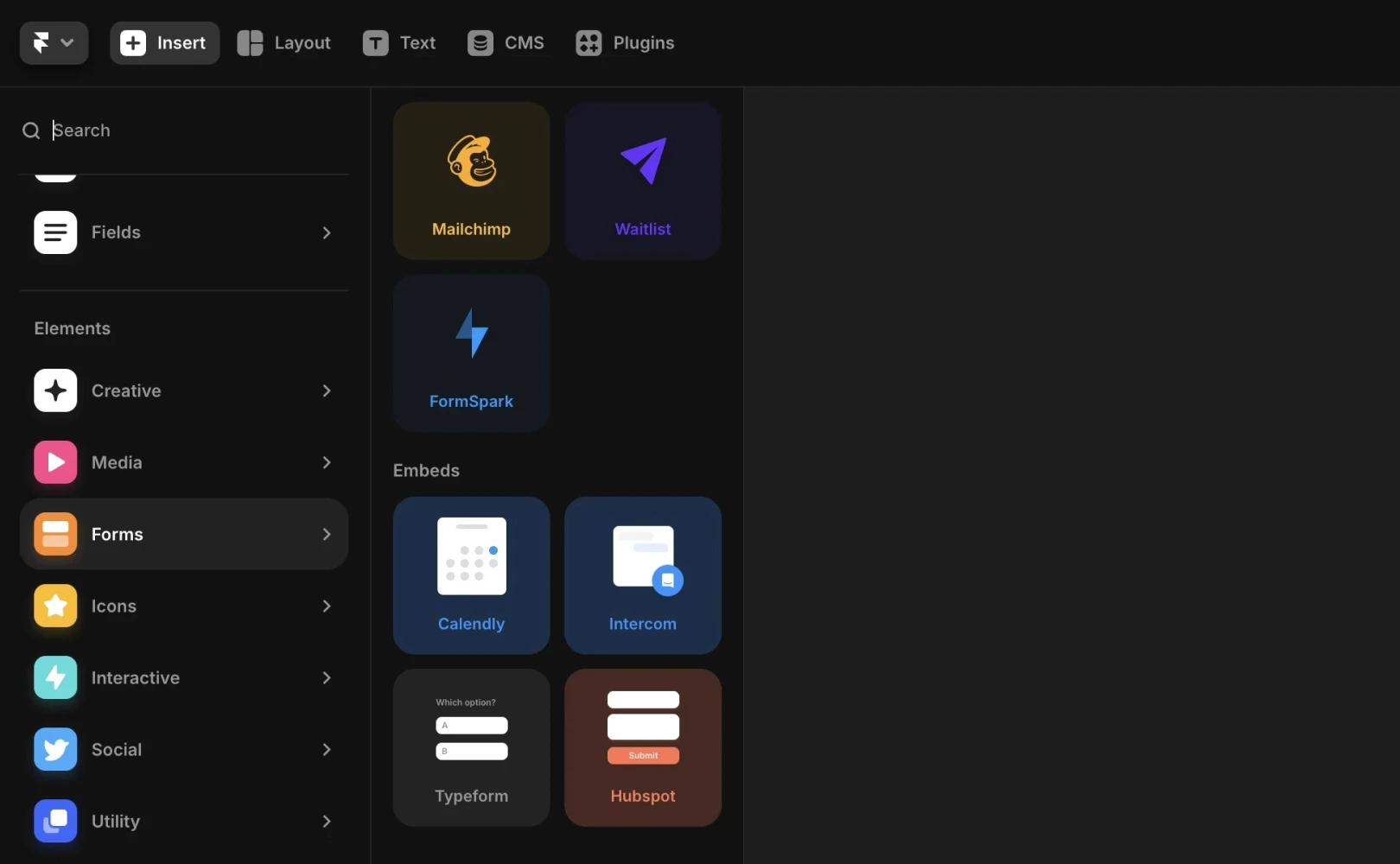
Note: The default configuration consists of an email input field and a sign-up button.
3. Paste the Form URL and customize the style
Select the Mailchimp component on the canvas, and paste the copied URL into the Form URL field of the right properties panel.
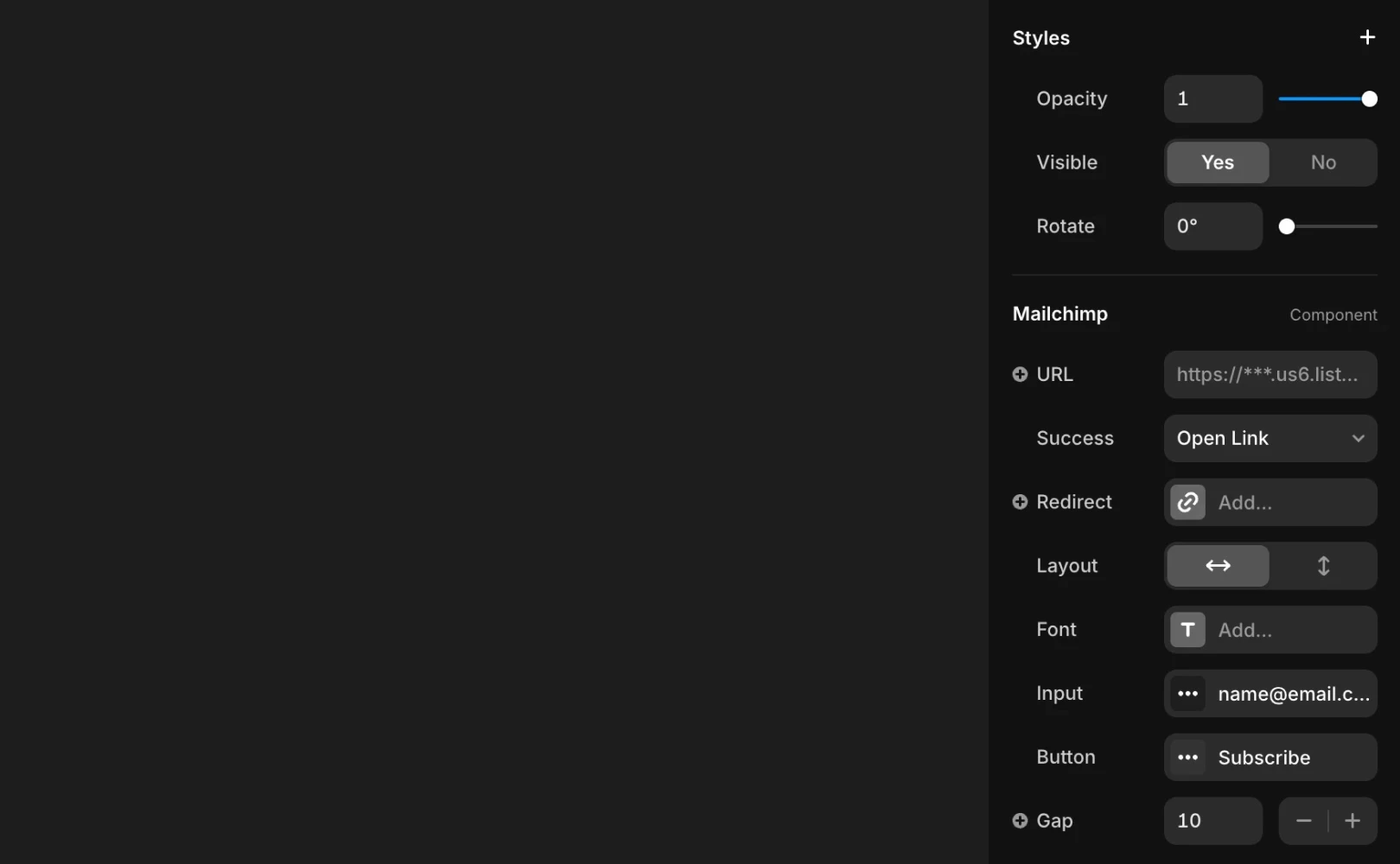
Note: From the same panel, you can adjust various styles like input fields, button text, layout, colors, font, and border radius according to your preferences.
4. Test with Preview or after Publishing
Once your settings are complete, first verify with Preview or click Publish to make the site live. By testing the form on the published site, you can ensure that the data you enter is immediately sent to Mailchimp.
Framer's basic form functionality
Even without using Mailchimp, Framer provides its own form system. Framer's forms offer functionalities like these:
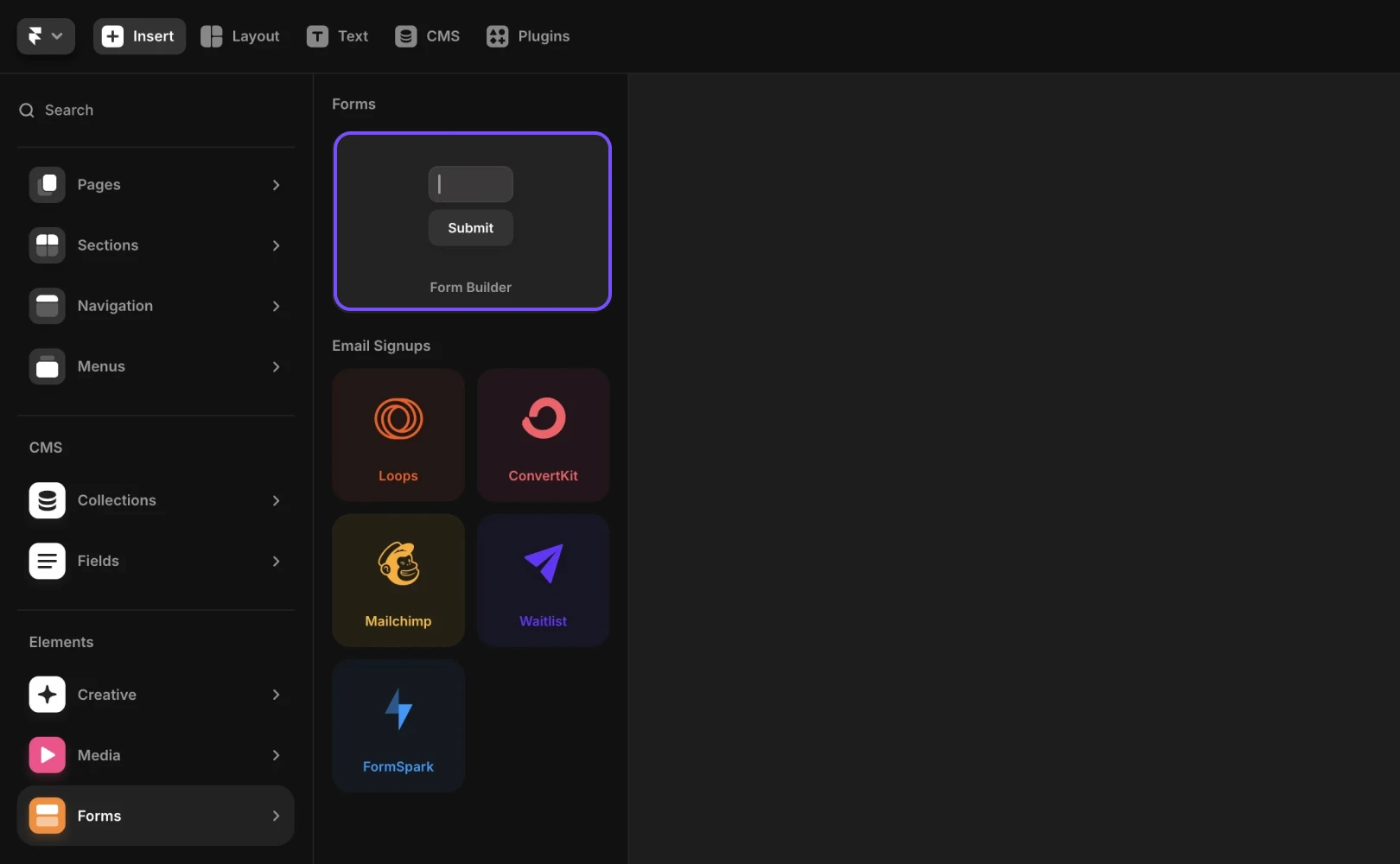
Provides more than 10 types of custom input forms
Allows form design for various interactions
Data can be submitted to email, Google Sheets, Webhook, etc.
Includes anti-spam and rate limiting features for enhanced security
For detailed setup instructions, refer to the related help documents.
Common applications where Mailchimp integration is useful
Offer Discounts: Encourage subscriptions by providing discount codes for your products or services. It can help convert one-time buyers into repeat customers.
Lead Generation: Offer premium content like white papers or PDFs in exchange for emails to generate leads.
Tips for Subscribers Only: Provide exclusive information to grow your email list and increase visitor engagement.
If additional issues arise, please contact us through the Contact page for further support.
Frequently Asked Questions (FAQ)
Q. Can I test the Mailchimp form in Preview mode?
No. Because it sends actual requests to the Mailchimp server, proper submission tests can only be conducted on published pages.
Q. Can I customize the success/failure messages sent to users when a form is submitted?
No. The success/failure messages of the Mailchimp form are processed based on HTML returned by the Mailchimp server, so the UI cannot be finely controlled within Framer.
Q. Can I customize the form styles (button, font, color) in Framer?
Yes. The Mailchimp component allows you to freely modify text, color, button design, layout, and more within the style panel.
This post is an adaptation of the content from Framer's official blog, ‘Disabling user select on a layer’.
More posts



