Read Time
min
Performance
Sep 5, 2025
Setting Up a Framer Reverse Proxy with Cloudflare
By setting up a reverse proxy with Framer and Cloudflare, you can maximize site performance through advanced traffic management and infrastructure policy compliance, while enhancing brand value with custom domain settings.



Contents
Table of Contents
Configuring a Proxy with Cloudflare
Using a Framer site with Cloudflare enables reverse proxy configuration. This is suitable for advanced use cases such as traffic management, custom routing, and compliance with infrastructure policies.
A reverse proxy is a method where a service like Cloudflare is placed between your site and its visitors. It allows you to do the following:
Integration with internal infrastructure (e.g., firewall, routing rules)
Advanced logging and regulatory compliance
Control over CDN, caching, and region-specific traffic management
However, since Framer offers many features on its own, it's recommended to use a reverse proxy only when specific infrastructure or policy needs exist.Note: Reverse proxy is only available on Scale and Enterprise plans.
Setting Up Your Framer Site
Open your Framer project and go to
Site Settings→Domains.Add a free Framer subdomain (e.g.,
example.framer.website)
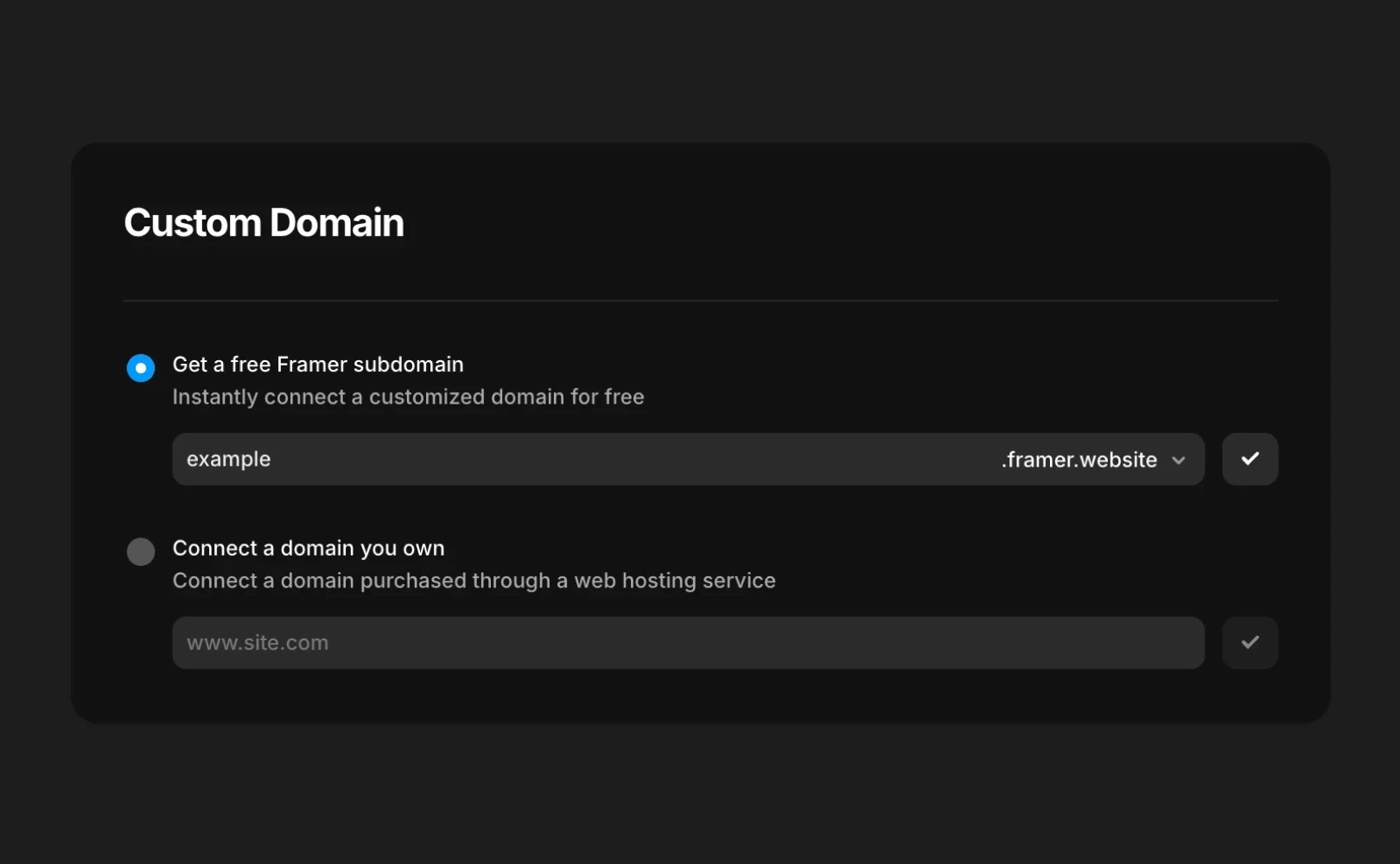
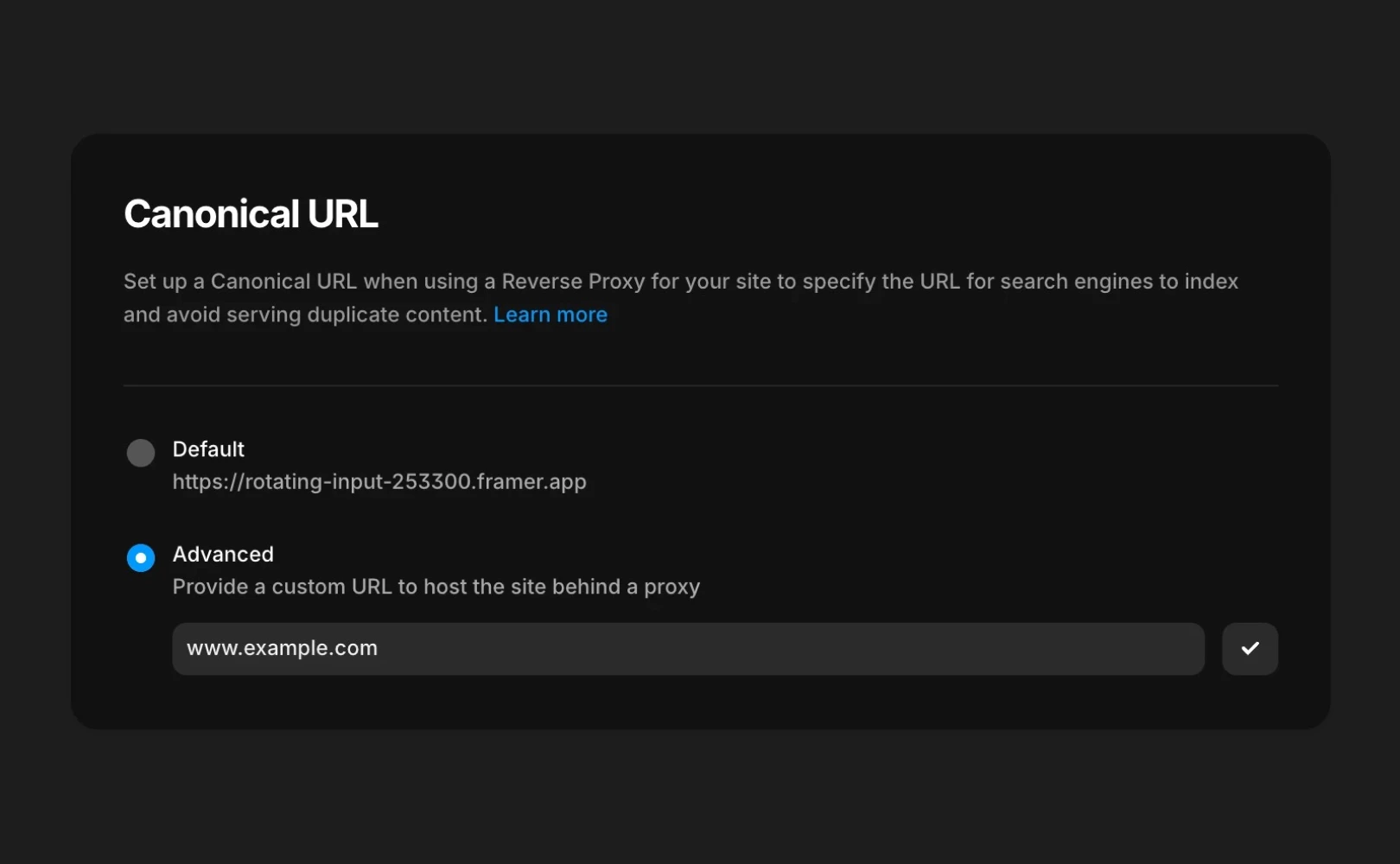
Scroll to the bottom of the Domains section to set up the Canonical URL.
Example: Enter a custom domainexample.comin the “Advanced” field and publish the site.
Setting Up Your Domain on Cloudflare
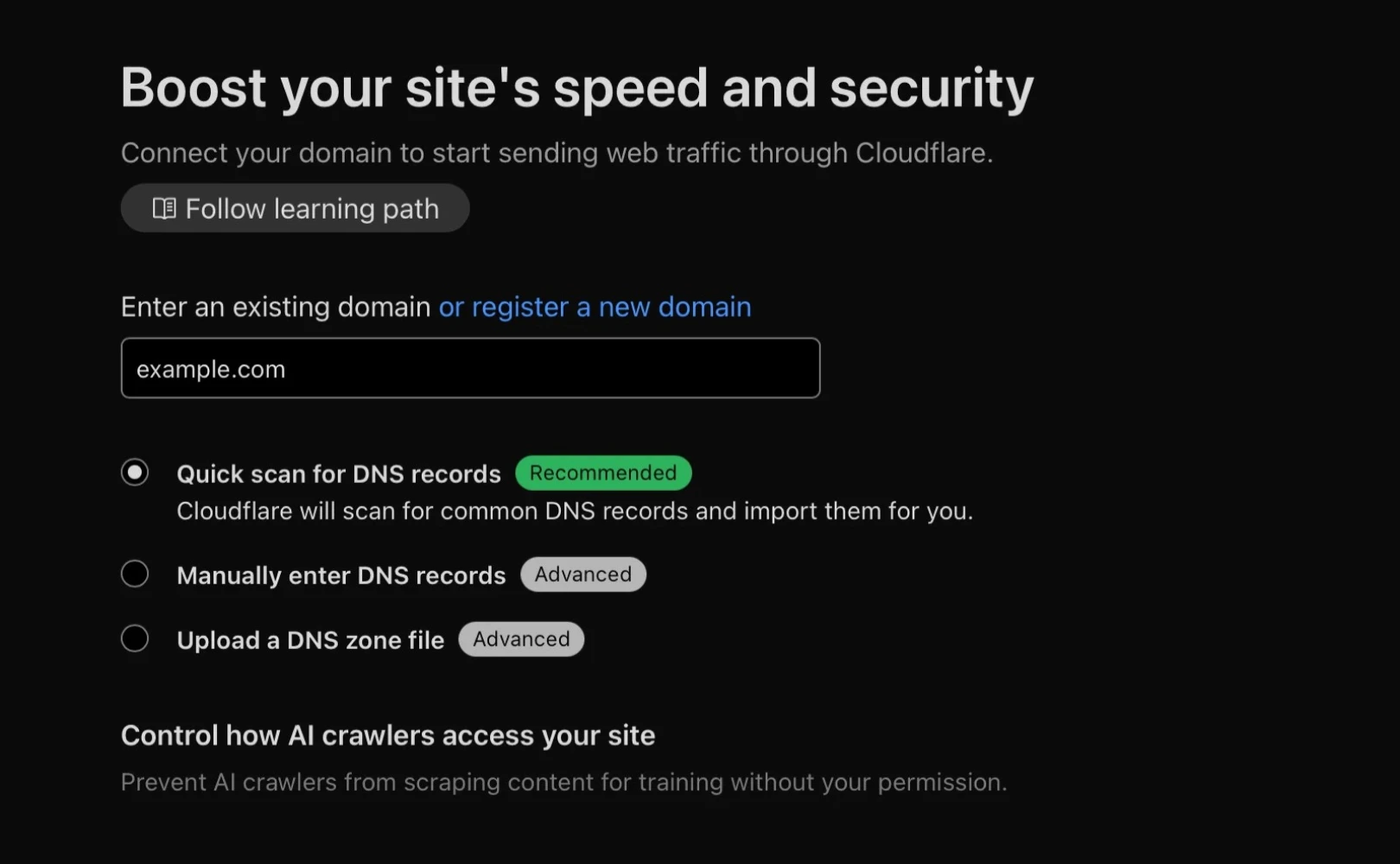
Log in to Cloudflare and add your custom domain (e.g.,
example.com).
Go to DNS settings and specify the root (
@) or subdomain (app.example.com) as a dummy A record (e.g.,192.0.2.1).
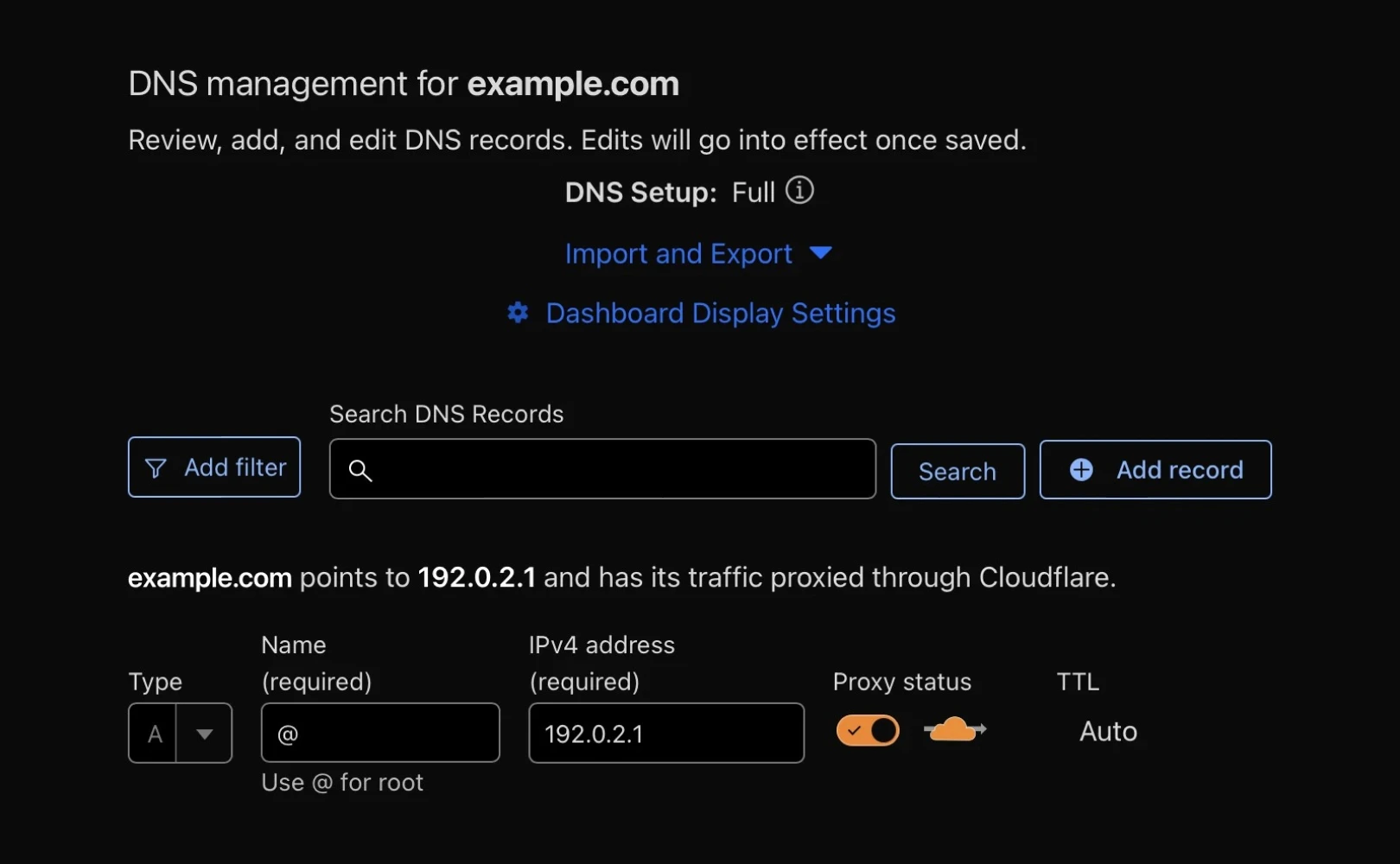
Note: In the Cloudflare DNS management screen, the A record points to 192.0.2.1 and the proxy status is set to active (orange cloud icon).
Creating a Cloudflare Worker
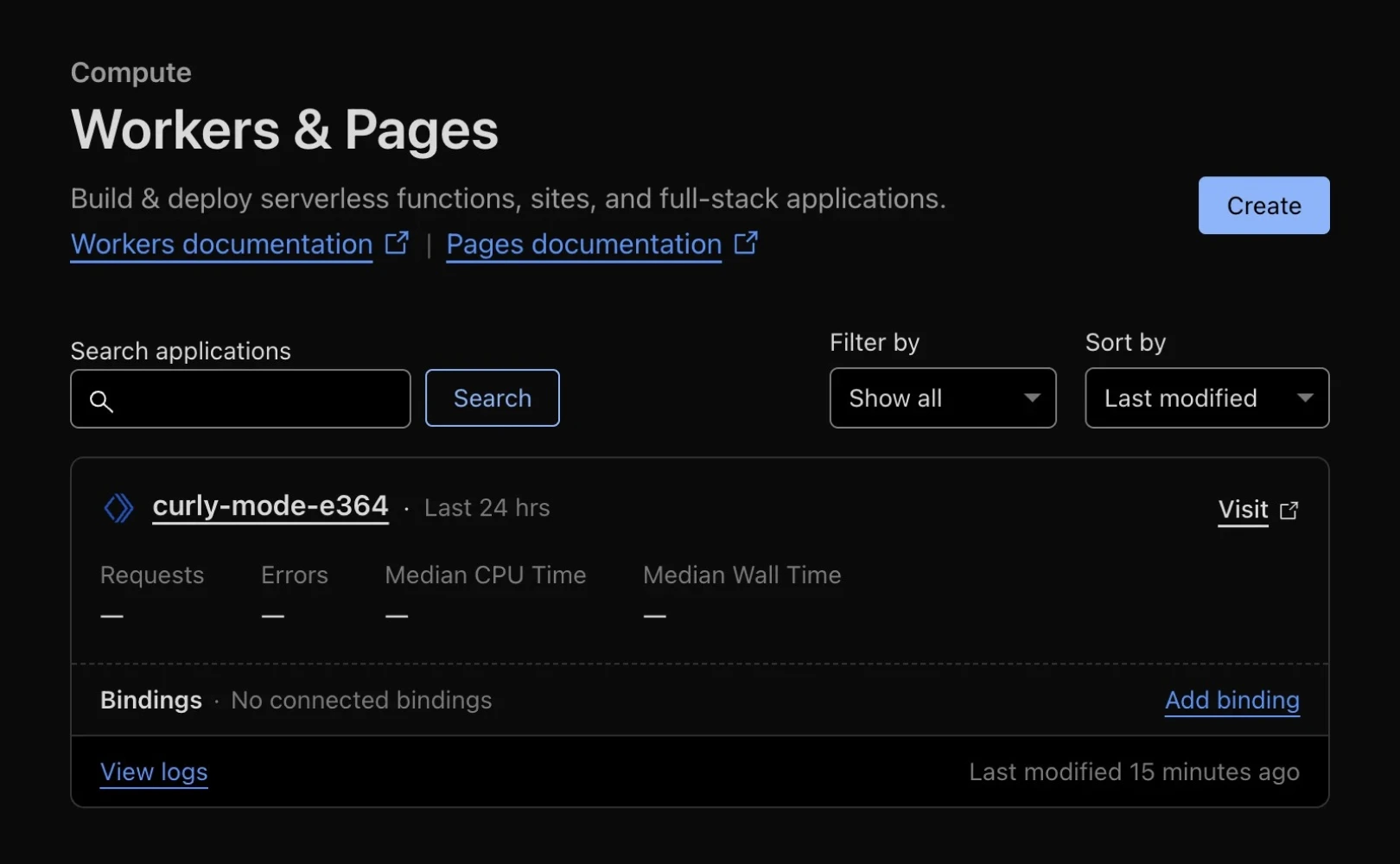
Navigate to Workers & Pages in the Cloudflare dashboard and create a new Worker.
Specify the route to handle all traffic. Example:
example.com/*
Enter the Worker code: Replace
my-company.framer.websitewith your actual Framer domain in the example below.
Checking Your Settings
Ensure the Worker is connected to the correct domain route.
Note that it may take a few minutes for changes to apply.
Use browser developer tools or HTTP header inspection tools to verify that traffic is being routed through Cloudflare.
If you encounter issues or need assistance, contact Framer Support.
This article is a translated and adapted version of Framer's official blog content ‘How to proxy with Cloudflare’.
More posts



