Read Time
min
Insights
Get Started
Dec 3, 2025
Changing Framer Billing Cycle
If you switch your Framer billing cycle from monthly to annual, you can save on costs. However, downgrading from an annual billing to monthly requires contacting the support team. Changing this will affect the billing cycle of all projects.

Uploaded by

Contents
Table of Contents
Reasons to Change Your Billing Cycle
Depending on the scale of your Framer project or budget situation, you might need to adjust your billing cycle. Framer offers monthly or annual billing options with the Basic and Pro plans, which can be changed at any time when necessary. Annual billing, in particular, can save costs, making it a popular option among users.
Upgrading from Monthly to Annual Billing
Switching to annual billing can be cheaper in the long run. The upgrade process is simple, as outlined below.
Select the project you wish to upgrade.
Navigate to the project
Settingsin the dashboard.Go to the
Planssection where you can check the plan applied to the current project.If you want to change the billing period to annual, activate the
Yearlytoggle.Click the
Upgradebutton beneath the site plan name to see the final billing summary screen.
Once you've completed this process, the annual subscription will be activated immediately.
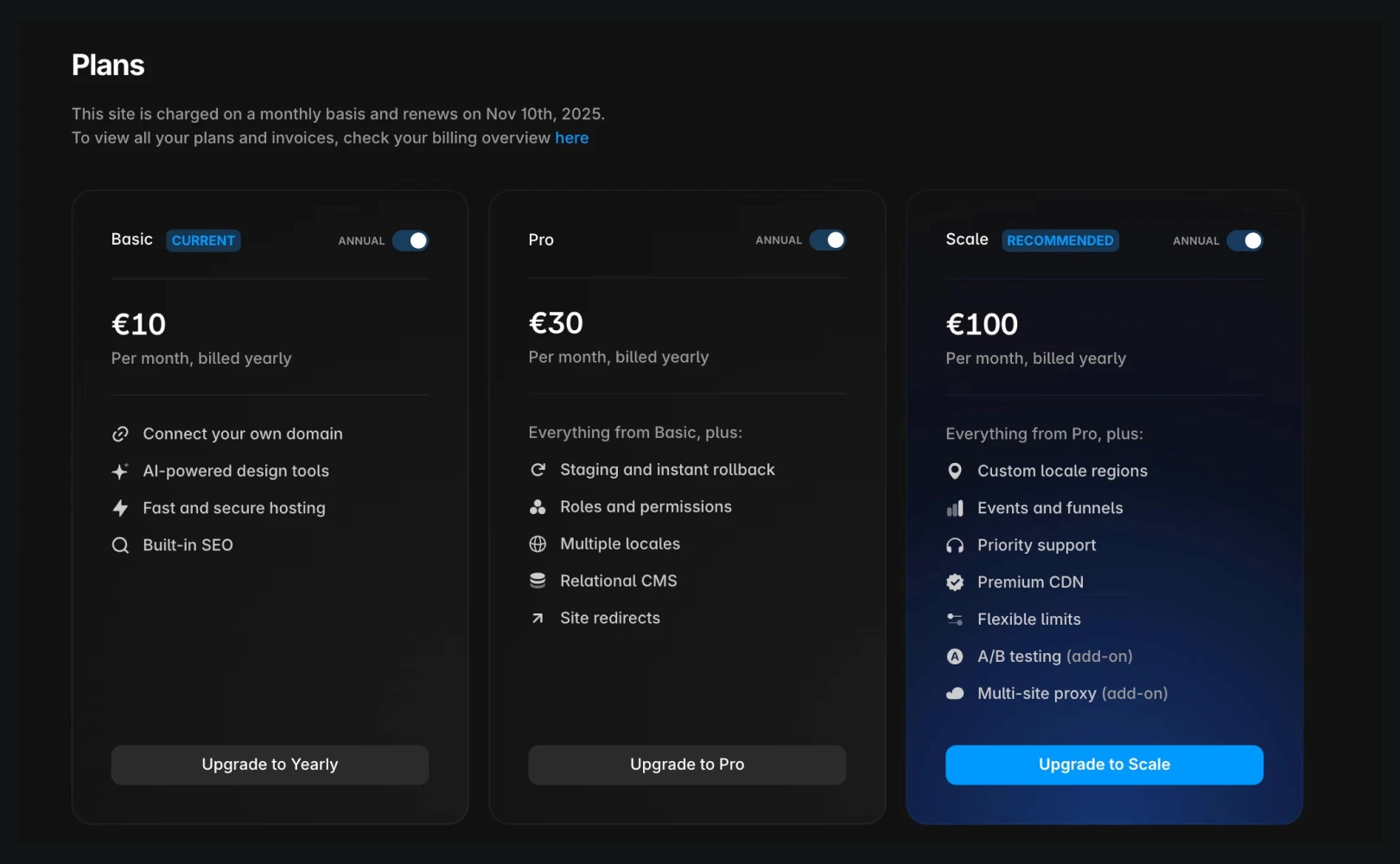
Switching from Annual to Monthly Billing
Currently, Framer does not offer the ability to downgrade from annual billing to monthly billing directly on the website. To change the billing cycle, you need to contact Framer Support for assistance.
Important Information Before Downgrading
All projects in the workspace will be converted to monthly billing.
Unused months from the existing annual plan subscription period will be credited to your account.
(However, refunds for the remaining period will not be given, as per the refund policy.)
Monthly billing has a higher monthly rate compared to annual billing, with annual plan discounts only applied for long-term subscriptions.
Changing the billing method can impact cost and plan retention, so it's good to review the overall project context before making changes.
If you encounter issues or need additional support, contact Framer Support through Framer's contact page.
Frequently Asked Questions (FAQ)
Q. Does the cost of team member permissions change when altering the billing cycle?
Yes. Switching between annual and monthly affects all paid Editor permissions across the entire workspace similarly.
Q. Do Viewer members incur charges when changing the billing cycle?
No, Viewers are always free, and costs only apply to the Editor role.
Q. Do you recommend upgrading if page count or traffic limits are exceeded?
Yes, Framer sends notification emails and recommends upgrades if necessary. While you're not immediately shut down upon reaching limits, consistently exceeding them will require upgrading to a higher plan.
This article is an adaptation and translation of Framer's official blog post ‘Modify your billing cycle in Framer’.
More posts
Read More Blog

Insights
Get Started
Dec 26, 2025
Increase your workflow speed in Framer using keyboard shortcuts

Insights
Get Started
Dec 26, 2025
Understanding Framer's Reduced Motion Settings

Insights
Get Started
Dec 26, 2025
Utilize text styles and semantic tags on your website

Insights
Get Started
Dec 26, 2025