Insights
Dec 24, 2025
How to Check and Download Framer Payment Receipts
Here's how to easily view and download your invoice after subscribing to Framer. You can check your receipts by logging into your account, and invoices can be received via email; make sure to check your spam folder as well. Please note, invoices are not issued per project.

Uploaded by

Translated by

Contents
Table of Contents
Issuing Framer Subscription Invoices
If you need to check invoices after purchasing a Framer subscription, you can do so easily with Framer. Please follow the steps below to use them when you need the billing receipt for a specific workspace.
Invoice Verification Steps
Log in to your Framer account and go to the dashboard. Use the workspace selection tool to select the subscribed workspace.
Click on
Settingsin the left sidebar.Go to the Plans tab in the workspace settings to check the current subscription status.
Clicking on View Invoices will take you to the payment service provider's website, where you can view and download the invoices associated with your account.
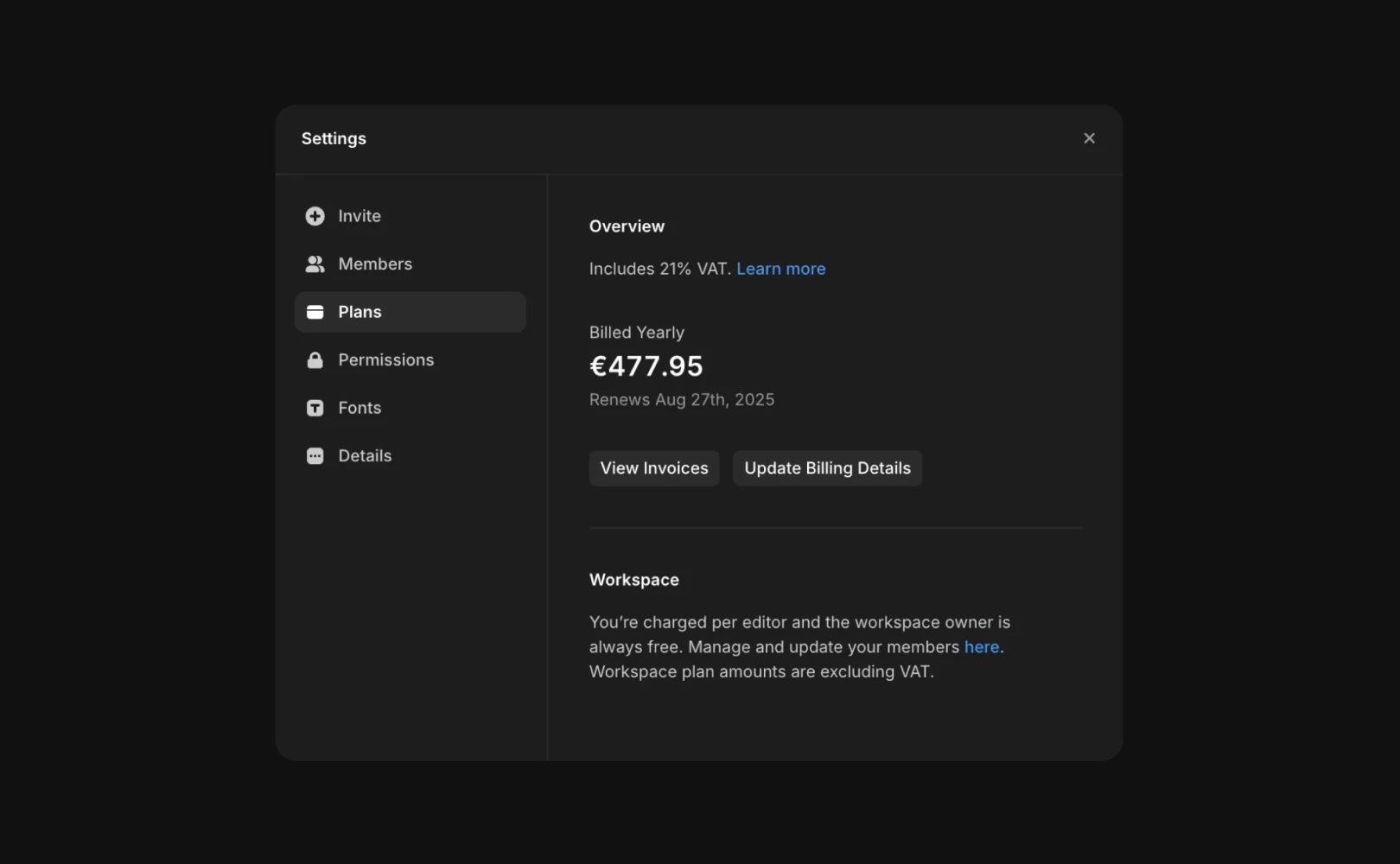
Note: Framer does not directly link individual projects with incurred costs to invoices. For specific payment-related assistance, please contact the Framer support team.
Frequently Asked Questions (FAQ)
Q. Can I receive the invoice via email after payment?
Yes. It will be automatically sent to your registered email account. When a Framer subscription payment is made, the system immediately sends an email with a payment completion notice and an invoice link to the workspace owner's email address.
Q. Is there a way to issue the invoice if I didn't receive it by email?
Yes. If you did not receive the email, please check your spam folder, or you can download it manually anytime via the
Plans>View Invoicesmenu described in the main text.
Q. Can I issue a separate invoice for a specific project?
No. Framer does not issue individual invoices per project. Framer's billing system is managed on a workspace basis. Even if you are running multiple paid projects, invoices will be issued to include all payment details within the workspace or aggregated by subscription plan.
This article is translated and adapted content of the Framer official blog, ‘How to find and download an invoice’.



