Read Time
min
Insights
Get Started
Dec 3, 2025
Optimizing the Framer Project
With Framer's automatic optimization features, you can improve project loading speeds and the editing environment, and the performance enhancements are shared with your team members. Optimization allows for smoother and more stable work.


Contents
Table of Contents
This document is meant to help domestic users learning Framer who face difficulties due to the lack of resources in Korean, by translating the content of the official blog into Korean and adding practical information. We hope this will be of some help to all of you using Framer.
What is project optimization?
When you open an older project, there are times you might see a pop-up indicating that Framer will perform automatic optimization. This process helps open the project faster and more stably, without altering the design.
Framer continues to evolve into a more efficient engine, and projects created with previous versions may need adjustments to match those changes. That's when automatic optimization kicks in.
What optimization does
The optimization process refines areas like the following to increase the speed and responsiveness of your project.
Improving project loading speed
Enhancing working speed in the editing environment
Removing heavy calculations (e.g., hash computations of SVG graphics)
This ensures better performance without affecting site design.
What happens during optimization?
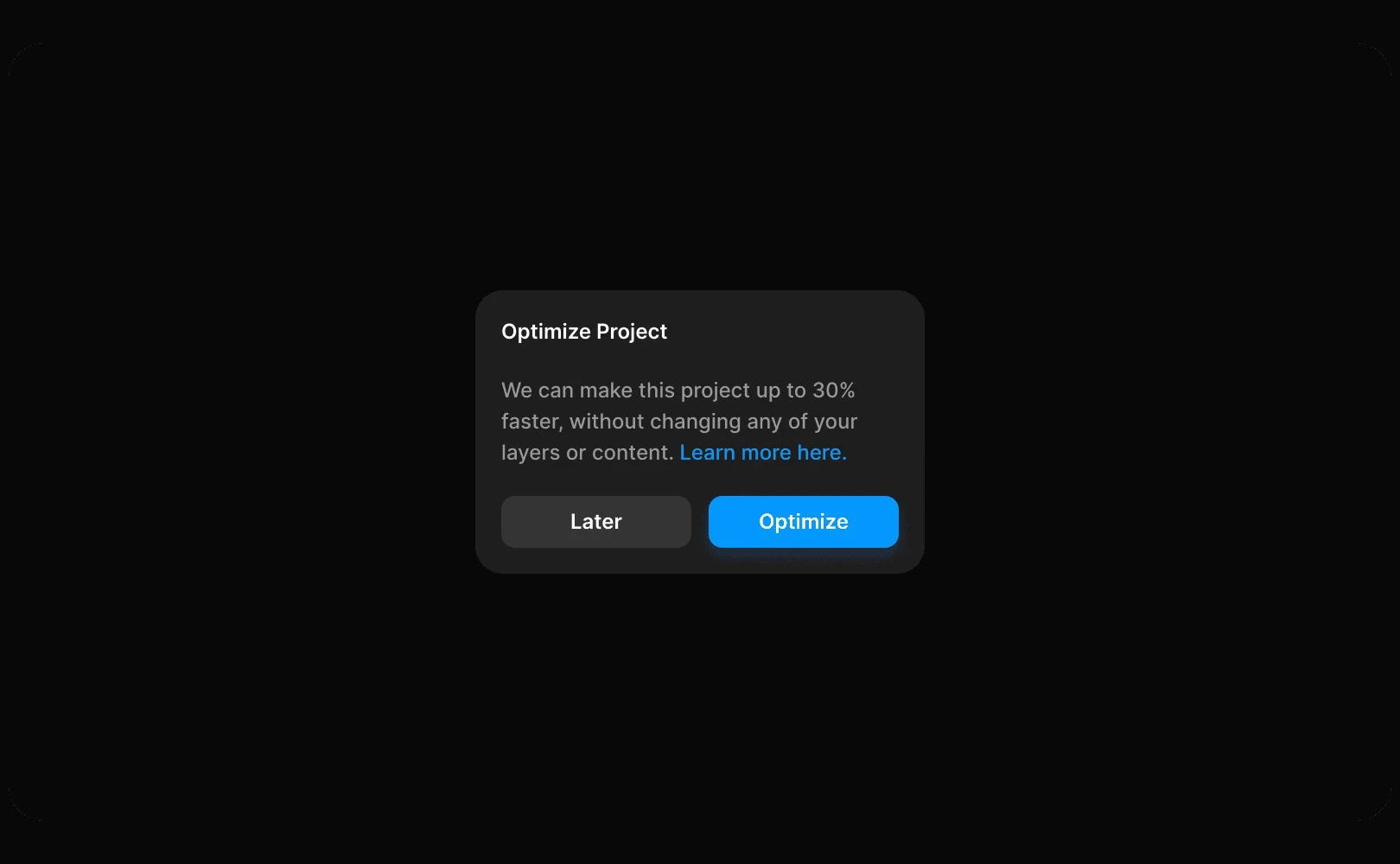
When opening a specific project, a modal window might appear. This modal informs you that the project requires optimization.
Framer identifies and notifies you about the layers needing optimization for better performance. This process is executed automatically within Framer and is secure. If you click the Later button, the modal will reappear every time you open the project until optimization is completed.
Benefits of optimization
Once optimization is completed, you will immediately notice benefits like:
Faster project loading times
Smoother and more stable canvas editing
More efficient work due to reduced computing demands
If you have any questions, feel free to contact the Framer support team.
Frequently Asked Questions (FAQ)
Q. Is it necessary to optimize when a notification appears?
No. If you click
Later, it will reappear next time you open the project, giving you another chance to optimize. However, since you won't benefit from performance improvements until optimization is done, it is recommended to proceed with optimization when the notification appears.
Q. Does optimization affect other team members collaborating on the project?
Yes. Once optimization is completed, the latest version of the project is saved, allowing team members to open the project in its improved performance state.
Q. Do I need to republish the site after optimization?
No. Optimization is for performance purposes and does not directly affect the published version of the site.
This article is adapted and translated content from Framer's official blog ‘Optimizing projects’.
More posts
Read More Blog

Insights
Get Started
Dec 26, 2025
Increase your workflow speed in Framer using keyboard shortcuts

Insights
Get Started
Dec 26, 2025
Understanding Framer's Reduced Motion Settings

Insights
Get Started
Dec 26, 2025
Utilize text styles and semantic tags on your website

Insights
Get Started
Dec 26, 2025