Insights
Dec 24, 2025
Utilizing well-known files and llms.txt
In Framer, you can integrate with various third-party services through a Well-known file, enabling website security and app connectivity features.

Uploaded by

Translated by

Contents
Table of Contents
Framer and Well-known Files
Framer enables you to host Well-known files directly on your site or custom domain to integrate with various third-party services. Using Well-known files, you can activate features like Apple App Site Association, Apple Pay, Android Asset Links, and llms.txt. It can also be used for publishing a security.txt file to provide security vulnerability reporting contacts.
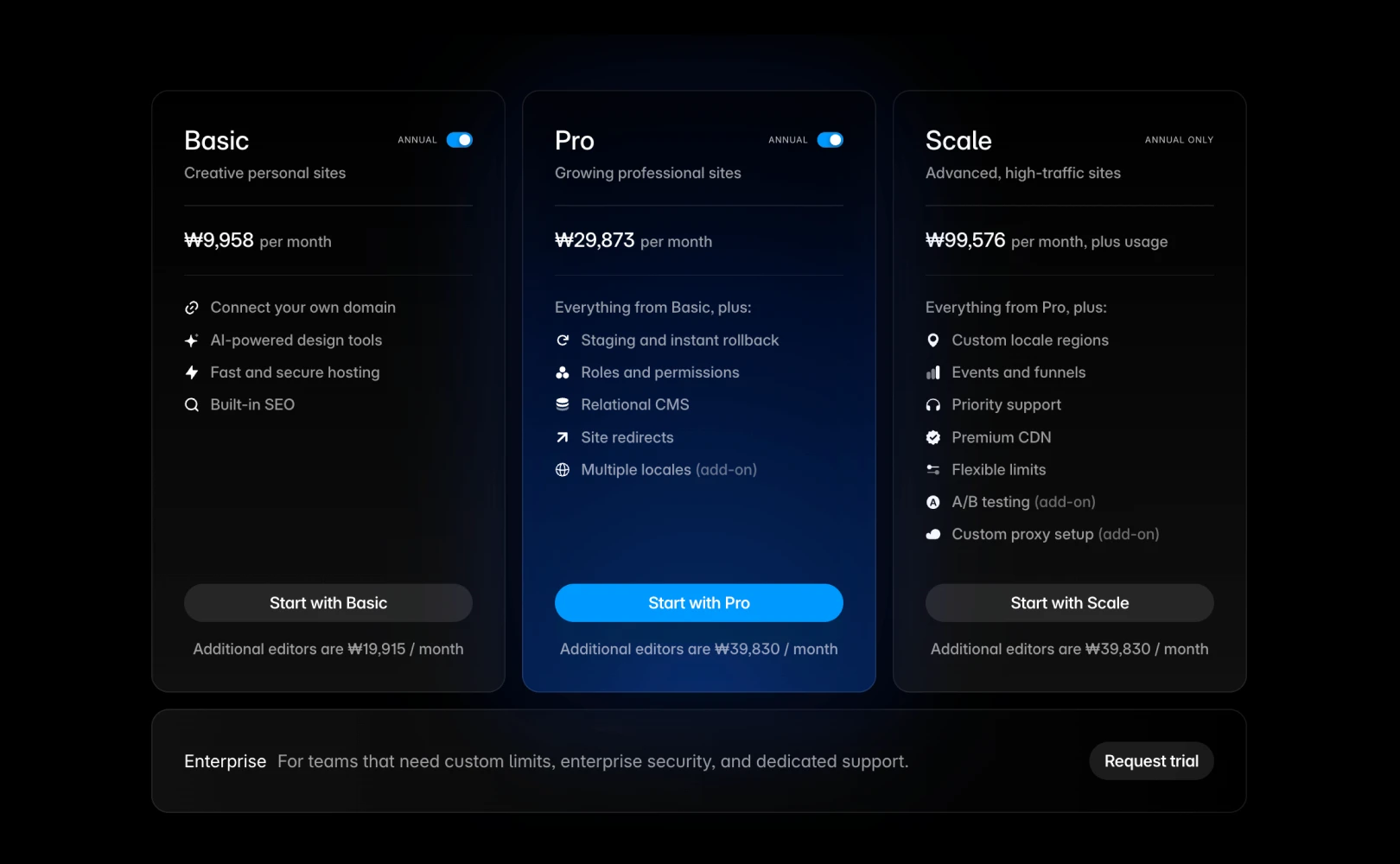
This feature is available on Pro, Scale, and Enterprise plans. You can store up to 30 Well-known files per project in the /.well-known/ path, while files like llms.txt or robots.txt can be saved at the root (/) path. Both TXT and JSON formats are supported, but keep in mind that creating subfolders within this path is not allowed.
File Naming Conventions
When uploading files, ensure you comply with naming conventions required by third-party services. Incorrect naming, such as omitting extensions, may cause the .json feature to not function properly. Please adhere to these naming rules as illustrated below.
Apple App Site Association: The file name must be
apple-app-site-associationwithout any extension.Android Asset Links: The file name must be
assetlinks.json.llms.txt: The file name must be llms.txt, and it should be accessible at
example.com/llms.txt.robots.txt: The file name must be robots.txt, and it should be accessible at
example.com/robots.txt.
Note: If a file is uploaded with spaces or special characters in the name, the system will automatically correct it to the proper name like security.txt.
How to Upload Well-known Files
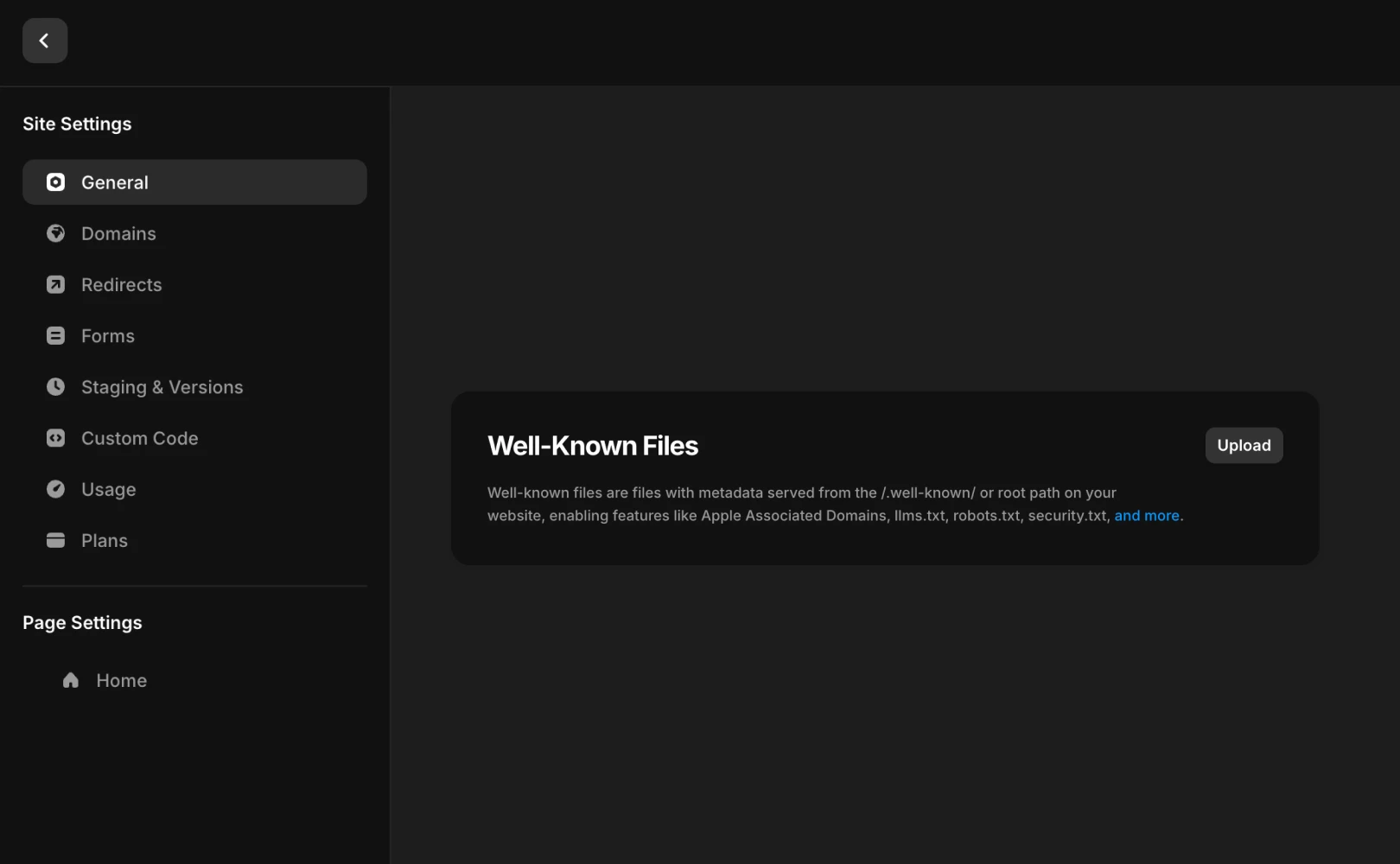
Open the project Settings.
Locate the Well-Known Files section.
Upload the prepared TXT or JSON files.
Publish the site to complete the process.
Note: If Staging is enabled on your site, remember to deploy the latest version. Once published, the files will be immediately available at the specified paths.
Key Use Cases
More examples can be found on Wikipedia or well-known.dev.
File Path | Description |
|---|---|
| Helps AI agents and LLMs understand your website. Used by OpenAI’s search, Anthropic’s Claude, and Perplexity for improved search results. |
| Informs web crawlers, such as search engine bots, about accessible pages and directories. |
| Defines metadata for AI plugin integration, such as name, authentication methods, API endpoints, and logos. Used on platforms like ChatGPT. |
| Allows Apple to verify domains associated with apps to enable universal links and shared web credentials for iOS apps. |
| Authenticates your domain for Apple Pay web transactions for safe payment processing. |
| Used for Android’s digital asset links, enabling app link configurations and domain verification. |
| Declares decentralized identifiers (DID) for AT Protocol services like Bluesky, aiding in secure identity verification. |
| Serves as a custom endpoint for Discord integration or bot authentication. |
| Confirms domain ownership for utilizing Google services like Search Console or Workspace. |
| Provides contact information and vulnerability disclosure for security researchers. |
Frequently Asked Questions (FAQ)
Q. Can this feature be used in the Free or Basic plans?
No, you need to upgrade your project to a Pro plan or higher to use this feature. If you are on a lower plan, the section will not appear or be active in the settings menu.
Q. Can I edit the contents of the uploaded TXT, JSON files directly within Framer?
No, Framer provides file hosting capabilities, not a built-in code editor, so direct editing in the dashboard is not possible. To modify file contents, you must edit the original file on your computer, delete the file that was uploaded previously, and upload a new file.
Q. Is it impossible to upload files if the limit of 30 per project is exceeded?
Yes, additional file uploads cannot be made. If you exceed the maximum limit, you must delete existing files to upload new ones.
This post is a translation and adaptation of Framer’s official blog content titled ‘Well-known files & llms.txt’.



